Hardware Manual
16
Step 2: Open the Dome Cover
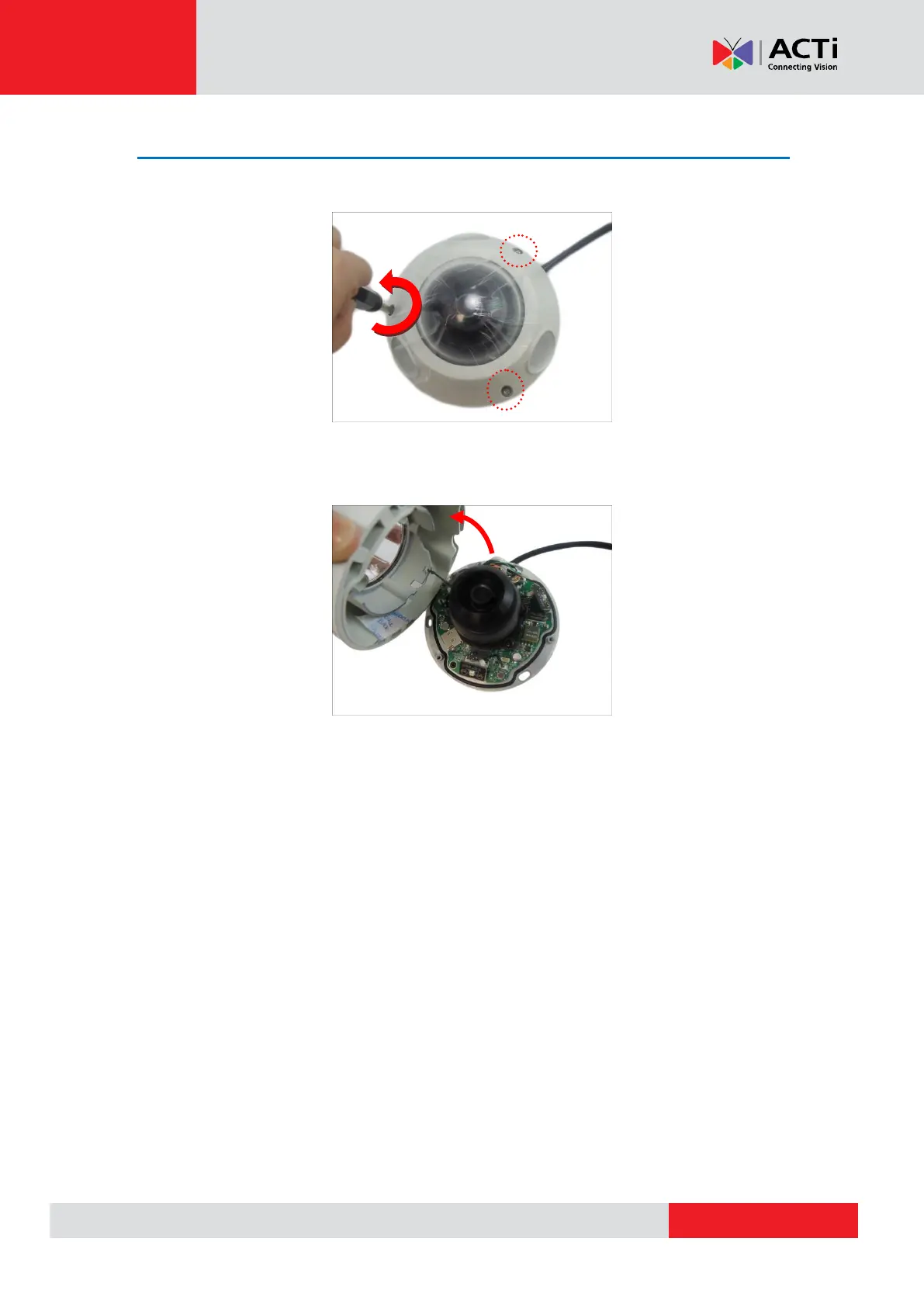
1. Loosen the three (3) screws using the bundled hex screwdriver.
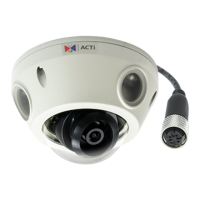
2. Lift to remove the dome cover.
NOTE:
The dome cover is attached to the camera body by a string, do not abruptly lift the
dome cover!
A desiccant bag is attached underneath the dome cover. DO NOT remove the
desiccant bag to keep the camera interior parts dry. An extra bag is bundled with the
camera that can be used for replacement, as needed, over time.
The photographed model in this section is for demonstration only. The instruction
applies to all models listed in this manual.


 To Next Page