ACT550 USER MANUAL
480258EN-1.0 29/06/2016 Page 13 of 34
POL.
C/ CALIDAD, 66
28906 GETAFE
Tel: +34 91 665 26 26
Fax: +34 91 665 23 24
N.I.F. ES-A-28905065
ER-
These can result in certain listening conditions, which might lead you to believe a problem exists with your
radio. The following conditions are normal and do not indicate radio trouble:
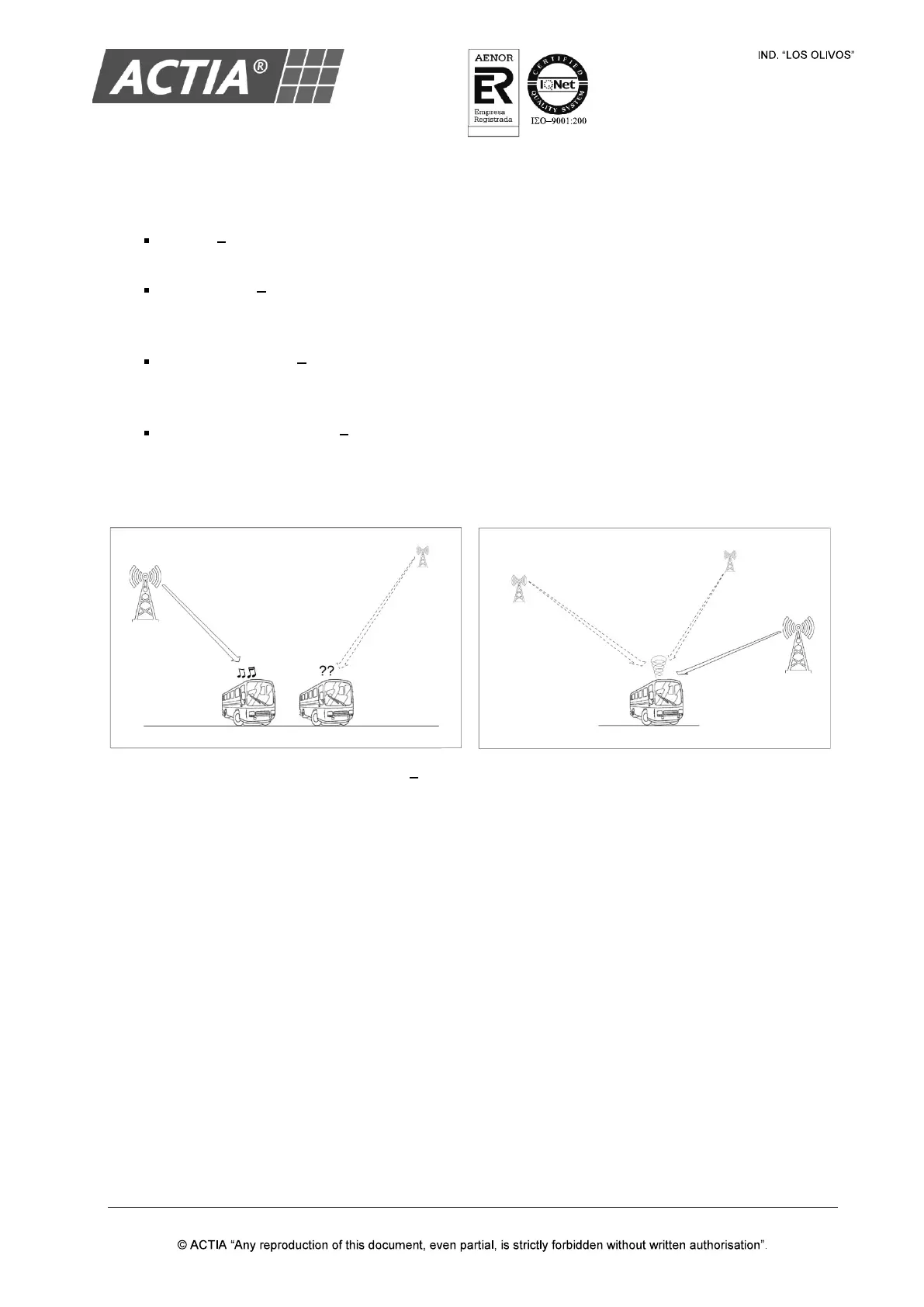
Fading As the vehicle moves away from the radio station, the signal will weaken and sound will
begin to fade. When this occurs, it is suggested that you select another stronger station.
Flutter/Static Weak FM signals or large obstructions between the transmitter and the radio can
disturb the signal causing static or fluttering noises to occur. Reducing the treble level may lessen
this effect until the disturbance clears.
Station Swapping As a FM signal weakens, another more powerful signal near the same
frequency may begin to play. This is because the radio is designed to lock onto the clearest
signal. If this occurs, select another station with a stronger signal.
Multi-Path Cancellation Radio signals being received from several directions can cause
distortion or fluttering. This can be caused by a direct and a reflected signal from the same station
or by signals from two stations with close frequencies. If this occurs, select another station until
the condition has passed.
Figure 8 FM Reception Conditions
RDS function retunes to alternative frequencies (AF) allowing the above situations to be managed
automatically by selecting alternative frequencies for the same station to minimize cases of poor
reception. However, if a station does not provide the information within the required RDS (alternative
frequencies list) or does not have adequate coverage of radio stations, the radio will not be able to
act in situations of poor reception described above.


 To Next Page