EasyManua.ls Logo

ActionTec ScreenBeam SBWD100A - User Manual

ActionTec ScreenBeam SBWD100A
31 pages
Print Icon
To Next Page IconTo Next Page
Loading...
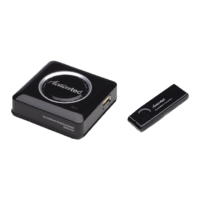
ScreenBeam
Wireless Display Kit
Model #: SBWD100A, SBT100U
User Manual
Ver 1.5
Solutions for the Digital Life
Question and Answer IconNeed help?

Do you have a question about the ActionTec ScreenBeam SBWD100A and is the answer not in the manual?

Summary

Connecting to ScreenBeam

Connecting Receiver to HDTV

Step-by-step guide on how to physically connect the ScreenBeam Display Receiver to an HDTV monitor via HDMI and power.

Setting Up Windows 7;8 Laptop;PC

Instructions for connecting a Windows 7/8 laptop or PC using the ScreenBeam USB Transmitter and software.

Pairing Receiver and USB Transmitter

Steps to pair the ScreenBeam Display Receiver with the USB Transmitter on a Windows PC for wireless connection.

Setting Up Miracast-enabled Device

Guide to connecting smartphones or tablets with Miracast capability to the ScreenBeam Display Receiver.

Setting Up Intel WiDi-enabled Device

Instructions for connecting laptops with Intel WiDi technology to the ScreenBeam Display Receiver.

Updating Software and Firmware

Updating Software on Windows 7;8 Devices

Procedure to update the ScreenBeam software for Windows 7/8 laptops/PCs via the USB Transmitter.

Updating Display Receiver Firmware Only

Steps to update the firmware of the ScreenBeam Display Receiver using a USB flash drive for Miracast/WiDi devices.

Frequently Asked Questions

Troubleshooting Connection Issues

Resolves problems related to no picture on TV, software launch failures, and receiver detection.

Summary

Connecting to ScreenBeam

Connecting Receiver to HDTV

Step-by-step guide on how to physically connect the ScreenBeam Display Receiver to an HDTV monitor via HDMI and power.

Setting Up Windows 7;8 Laptop;PC

Instructions for connecting a Windows 7/8 laptop or PC using the ScreenBeam USB Transmitter and software.

Pairing Receiver and USB Transmitter

Steps to pair the ScreenBeam Display Receiver with the USB Transmitter on a Windows PC for wireless connection.

Setting Up Miracast-enabled Device

Guide to connecting smartphones or tablets with Miracast capability to the ScreenBeam Display Receiver.

Setting Up Intel WiDi-enabled Device

Instructions for connecting laptops with Intel WiDi technology to the ScreenBeam Display Receiver.

Updating Software and Firmware

Updating Software on Windows 7;8 Devices

Procedure to update the ScreenBeam software for Windows 7/8 laptops/PCs via the USB Transmitter.

Updating Display Receiver Firmware Only

Steps to update the firmware of the ScreenBeam Display Receiver using a USB flash drive for Miracast/WiDi devices.

Frequently Asked Questions

Troubleshooting Connection Issues

Resolves problems related to no picture on TV, software launch failures, and receiver detection.

ActionTec ScreenBeam SBWD100A Specifications

General IconGeneral
InterfacesHDMI
Maximum Resolution1080p
ProtocolsMiracast
PortsHDMI, Micro USB
Wireless TechnologyWi-Fi
Wireless StandardIEEE 802.11n
Frequency Band2.4 GHz
Resolution SupportUp to 1080p
CompatibilityAndroid 4.2+