35
Installation and Commissioning Guide
Split Ducted ESP Indoor Unit
Installation and Commissioning Guide - Split Ducted ESP Plus/Ultima Indoor Unit
Doc. No.0525-078 Ver. 2 190925
IMPORTANT NOTES
• In Zone Control ESP AUTO mode, the controller will adjust the position of zone damper automatically in order to meet
the desired temperature.
• Heating mode will be displayed when the zone starts to heat the room.
• Cooling mode will be displayed when the zone starts to cool the room.
• When room reached the set temperature COOL, HEAT or Damper Blade indicator will not be displayed.
• When the system is in Fan only mode, fully opened damper position indicator and FAn will be displayed.
Zone Control Mode of Operation
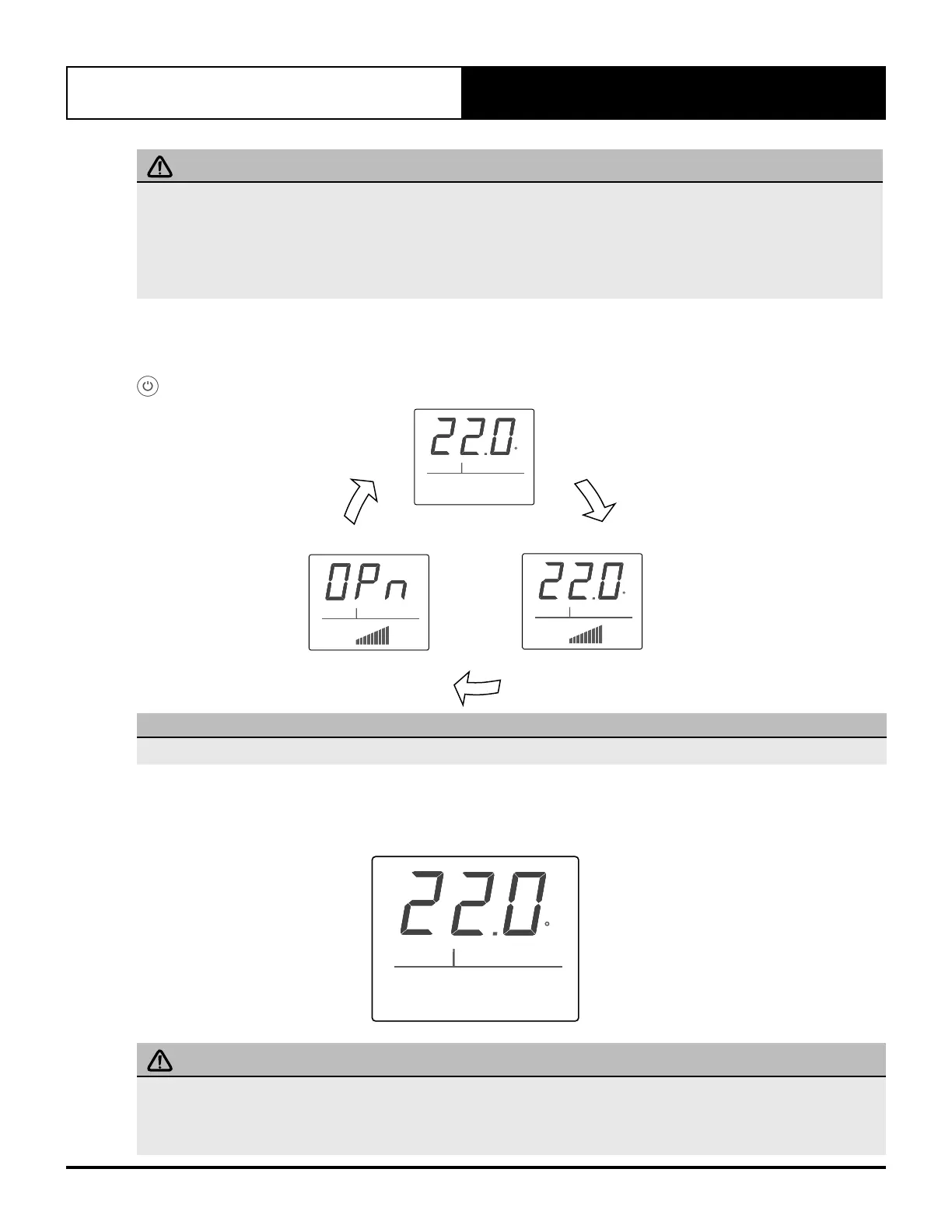
The Zone Control has three different modes of operation, On, Off and ESP Auto. To bring up different modes of operation, press the
button.
ZONE
COOL
ESP AUTO
C
ZONE
OFF
C
ZONE
COOL
NOTE
Cycling through operation mode is only accessible via Zone Control.
Zone OFF Mode
In this mode, the Zone Control will shutdown the zone area. The zone barrel damper blade will be in fully closed
position.
ZONE
OFF
C
IMPORTANT NOTES
It is NOT POSSIBLE to control the actual temperature of the room/zone during this mode. However, changing the setpoint
temperature in LED is still possible. This is designed primarily for use with Timer On operation (master Wall Control). This
will allow the user to change the setpoint temperature (even when Zone Control is Off) to bring up the desired temperature
when the unit is activated via Timer On function.



 To Next Page