EasyManua.ls Logo

ACU-RITE Rain Gauge - User Manual

ACU-RITE Rain Gauge
16 pages
Print Icon
To Next Page IconTo Next Page
Loading...
Instruction Manual
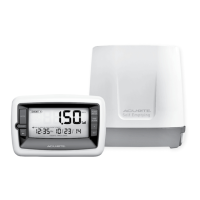
Rain Gauge
model 00899
CONTENTS
Unpacking Instructions ............. 2
Package Contents .................... 2
Product Registration ................. 2
Features & Benets: Display...... 3
Features & Benets: Collector ... 4
Setup ...................................... 5
Install or Replace Batteries........ 5
Set Time, Date & Units.............. 6
Placement Guidelines ............... 6
Rain Collector Installation ......... 7
Using the Rain Gauge .............. 8
Troubleshooting ..................... 10
Calibration .............................11
Care & Maintenance.............. 12
Specications......................... 12
FCC Information .................... 12
Customer Support .................. 13
Warranty............................... 13
Questions? Contact Customer Support at
(877) 221-1252 or visit www.AcuRite.com
SAVE THIS MANUAL FOR FUTURE REFERENCE.

Questions and Answers

  • H
    hannah63Jul 29, 2025
    What to do if my ACU-RITE Rain Gauge Weather Station display screen is not working?
    • S
      Steven NortonJul 29, 2025
      If the display screen of your ACU-RITE Weather Station isn't working, first, ensure the batteries are correctly installed. If they are, try replacing them with new ones.
  • S
    Susan ButlerAug 5, 2025
    Why is my ACU-RITE Weather Station rainfall registering when there's no rain?
    • J
      Jennifer WestAug 6, 2025
      If your ACU-RITE Weather Station is registering rainfall when there's no rain, ensure the rain collector is securely mounted on a solid, level surface, away from obstructions. Also, make sure you're using standard alkaline batteries, not heavy-duty or rechargeable ones.
  • K
    Kimberly HoldenAug 13, 2025
    How to fix no rainfall reading (dashes) on ACU-RITE Rain Gauge?
    • J
      Joseph ForbesAug 13, 2025
      If your ACU-RITE Weather Station display shows dashes for rainfall, it means the display unit and rainfall collector aren't synchronized. Try these steps: * Relocate the display unit and/or the rainfall collector, ensuring they are within 100 ft (30 m) of each other and at least 3 feet (0.9 m) away from electronics like TVs or microwaves. * Use standard alkaline batteries, avoiding heavy-duty or rechargeable ones. * Reset the units by bringing them indoors, removing batteries from both, reinstalling batteries in the rain collector first, then the display unit, and letting them sit close together for 20 minutes.
  • N
    Nicholas JosephAug 21, 2025
    What to do if ACU-RITE Rain Gauge shows zeroes for rainfall?
    • E
      ericromanAug 21, 2025
      If your ACU-RITE Weather Station display shows zeroes for rainfall, remove the rain collector cover and check if the tipping lever flips back and forth easily. Try manually tipping it to see if it registers as rain. If not, try resetting the units.

Summary

Features & Benefits

Display Unit Overview

Details the buttons, indicators, and display elements of the AcuRite rain gauge display unit.

Rain Collector Components

Identifies and describes the parts of the AcuRite rain collector, including the cover, tipping cups, and base.

Setup

Install or Replace Batteries

Instructions for installing and replacing batteries in both the display unit and the rain collector.

Set Time, Date & Units

Guide to configuring the time, date, and measurement units on the display unit for accurate readings.

Display Unit and Collector Placement

Recommendations for optimal placement of the display unit and rain collector for accurate measurements and reliable communication.

Rain Collector Installation

Step-by-step instructions for securely mounting the rain collector base to a suitable surface.

Operation

Using the Rain Gauge Modes

Explains how to navigate different rainfall data modes (Event, 1 Day, Week, Total A/B) and view historical data.

Alarms: Flood Watch and Rain Alarm

Details how to activate/deactivate and understand the Flood Watch and Rain Alarms, including condition thresholds.

Troubleshooting

Common Issues and Solutions

Addresses common problems like loss of synchronization, zero readings, incorrect rainfall, and display issues with solutions.

Calibration

Calibrate and Adjust Rain Gauge

Guides users through calibrating the rain gauge for accurate rainfall measurement using water and adjustment screws.

Care and Maintenance

Display Unit and Rain Collector Care

Instructions on cleaning and maintaining the display unit and rain collector, including winter usage warnings.

Specifications and FCC Information

Lists technical specifications of the device and provides FCC compliance information.

Customer Support and Warranty

Customer Support and Warranty Information

Provides contact details for customer support and outlines the terms of the limited one-year warranty.

ACU-RITE Rain Gauge Specifications

General IconGeneral
BrandACU-RITE
ModelRain Gauge
CategoryWeather Station
LanguageEnglish

Related product manuals