Acuity Brands | One Lithonia Way Conyers, GA 30012 | Phone: 800.535.2465 | www.acuitycontrols.com | © 2019 Acuity Brands Lighting, Inc. | All rights reserved. | Rev. 11/14/2019
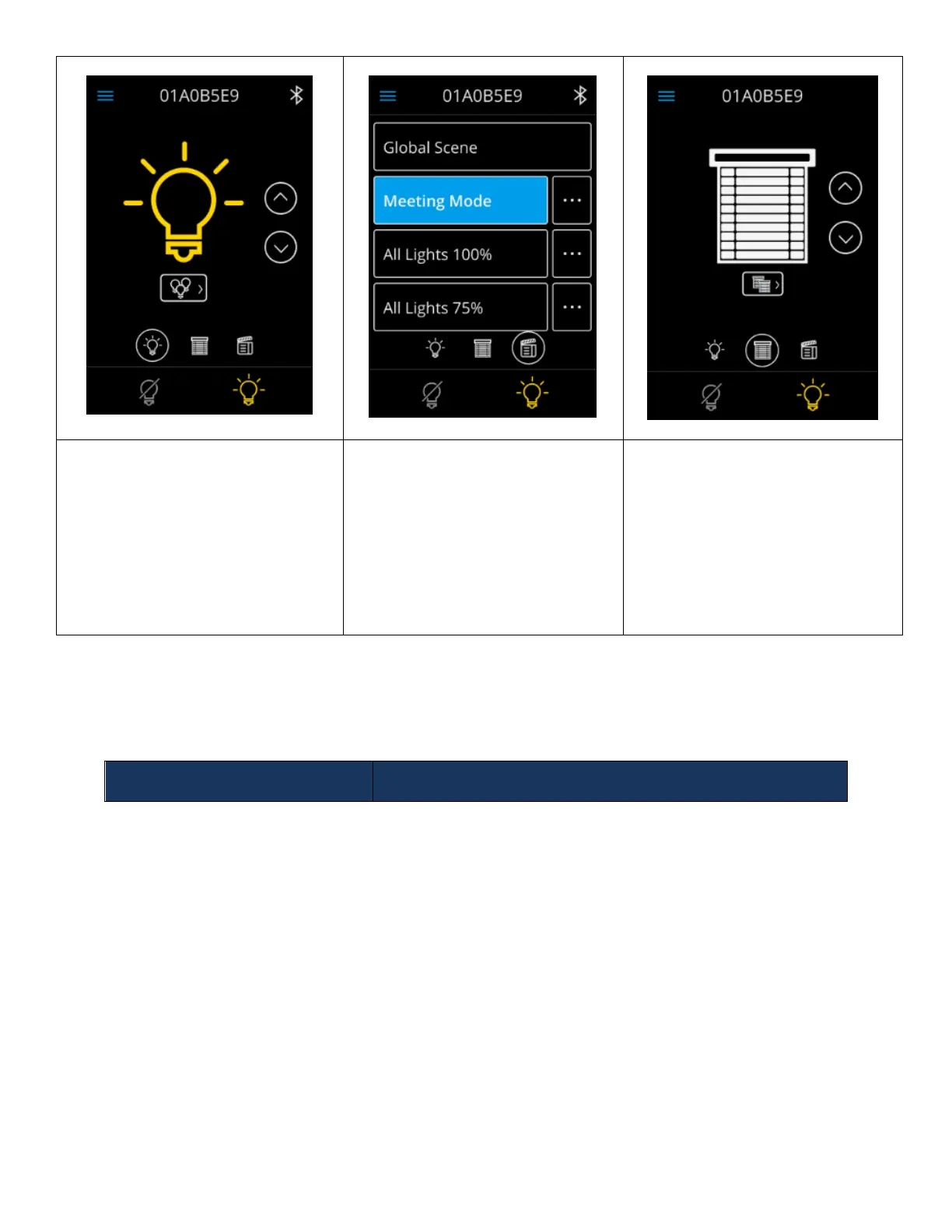
The light control dashboard allows
users to control devices tracking all
channels of type “Lights”.
It also allows users the ability to
navigate to the channel list screen for
control of other Light channels.
The scene dashboard enables users
the ability to activate scenes and
view more details about the
individual scenes.
This screen also allows administrators
the ability to create new scenes.
The shade control dashboard allows
users the ability to control devices
tracking the first enabled channel of
type “Shades”.
This screen also enables users the
ability to navigate to the channel list
screen for control of other Shade
channels.
Light Control Dashboard
The light control dashboard allows users the ability to control devices tracking channels of type “Light”. By
toggling the control elements in the dashboard screen all channels of type “Lights” receive the inputted control signal.



 To Next Page