Acuity Brands | One Lithonia Way Conyers, GA 30012 | Phone: 800.535.2465 | www.acuitycontrols.com | © 2019 Acuity Brands Lighting, Inc. | All rights reserved. | Rev. 11/14/2019
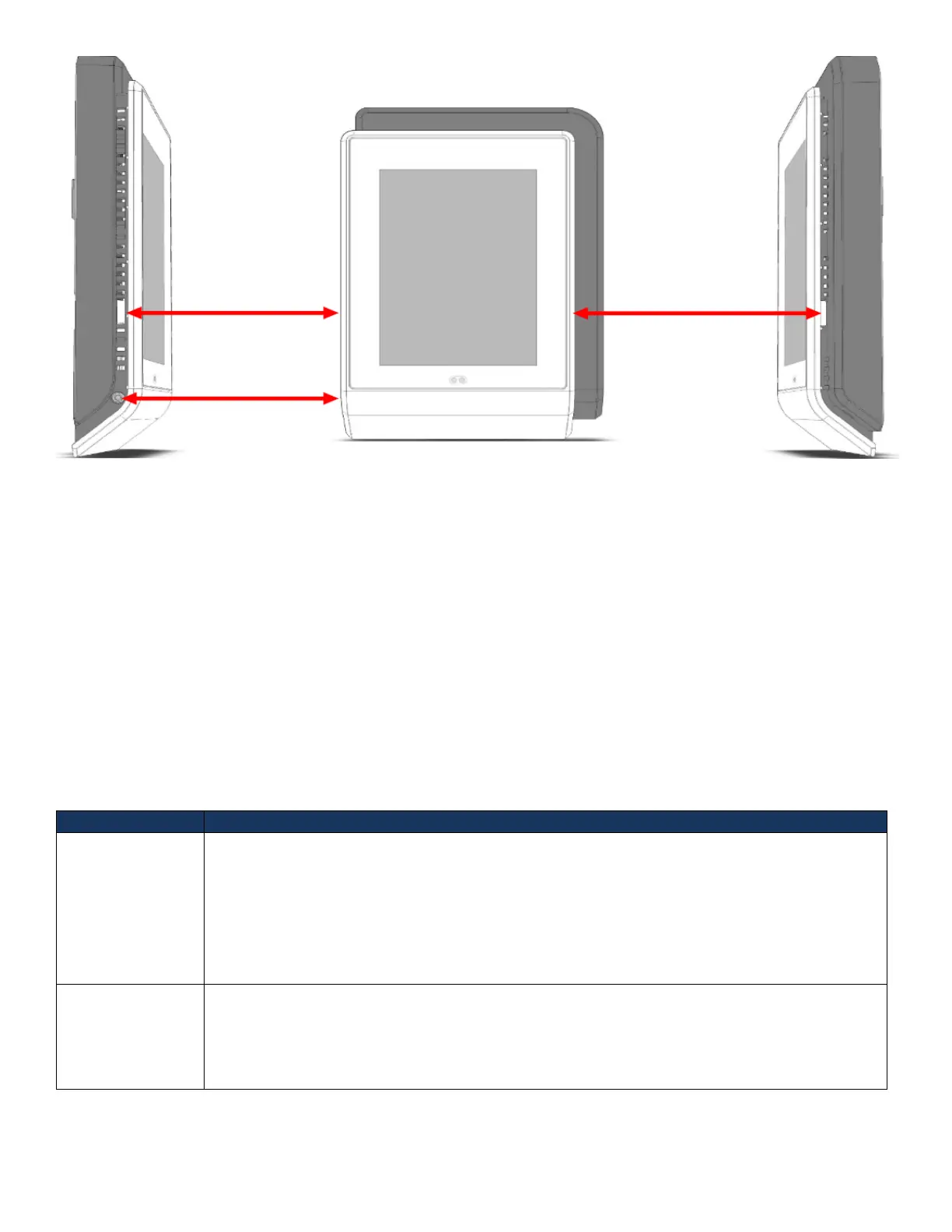
Figure 3- Security Screw and Faceplate Tab Locations
Out-of-Box Defaults
• Screensaver is enabled and the nLight logo is used
• Channels 3-16 are disabled
• Proximity sensor is enabled
• Shade home screen is disabled
• Preset Scenes
o Lights On
o Lights On – 75%
o Lights On – 50%
o Lights On - 25%
o Lights Off
User Levels
The nLight UNITOUCH supports two primary user types.
Administrator can access all the features in the device. The administrator only features are
listed below.
• Modify device settings
• Modify Bluetooth settings
• Create/Edit/Delete scenes
• Configure channels
• Configure input/output devices
The Basic user privilege allows user to:
1. View and control light channels
2. View and control shade channels
3. Activate and view scenes
4. View product information



 To Next Page