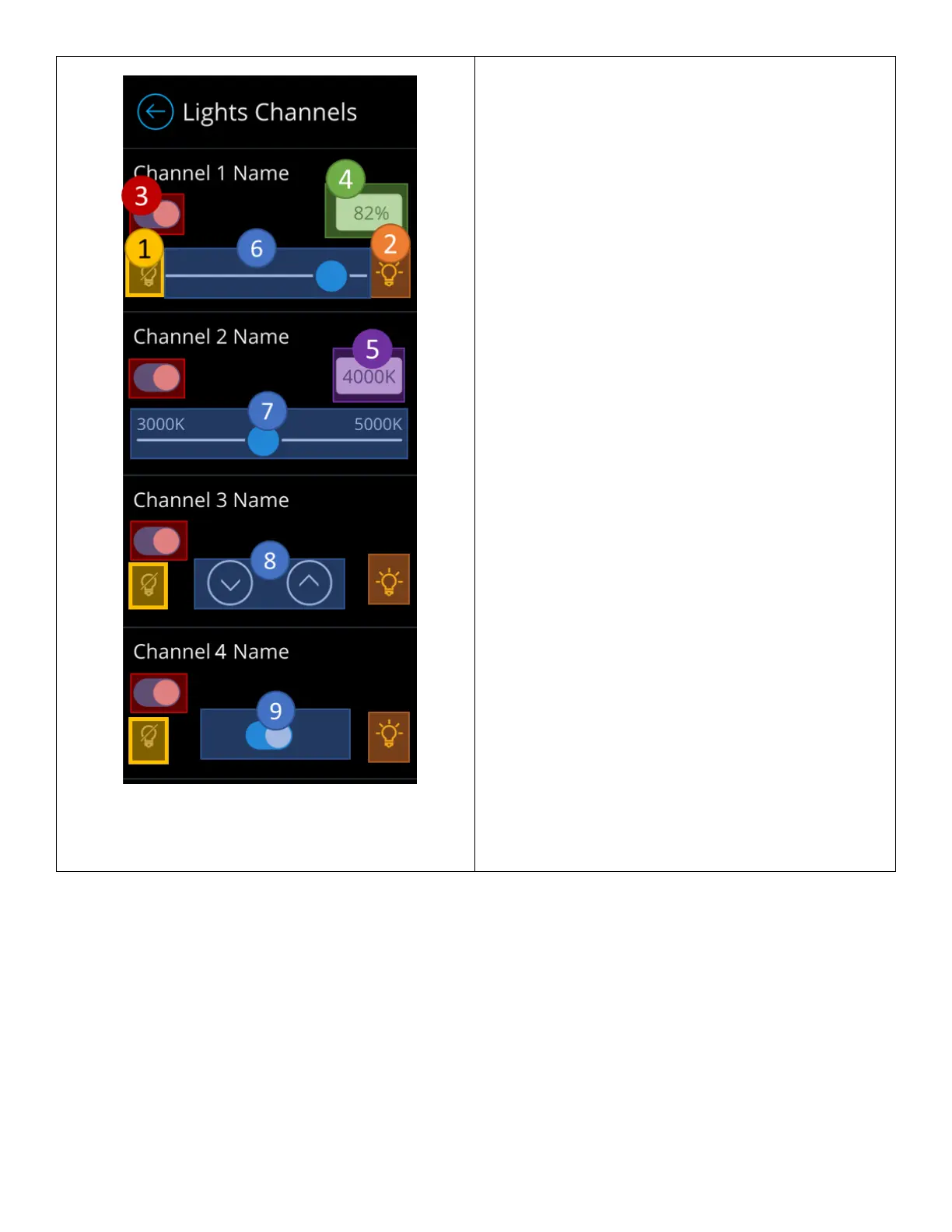
The light channel configuration screen for scenes enables
administrators to choose which channels will be
controlled by the scene and configure the channel’s state.
Only channels marked as enabled by administrators,
through the technician mode screen will be affected
(Note that configuration is live – adjusting the control
elements will be reflected in real-time.)
1. Off preset button – Used to toggle “Off” light
channels, while fully expanding shades.
2. On preset button – Used to toggle “On” light
channels, while fully collapsing shades.
3. Channel assignment button – Used to assign and
unassign channels to the scene. Only assigned
channels will be controlled when the channel is
activated.
4. Light level/intensity field – Reflects the light level
of the slider. When tapped, allows administrators
to enter precise light level value. Available only
on channels of control type “Light”.
5. Kelvin Temperature field - Reflects the Kelvin
temperature level of the slider. When tapped,
allows administrators to enter precise level value.
Available only on channels of control type “CCT”.
6. Slider control – Used to slide the dim light
channel’s light level.
7. CCT Slider control – Used to slide the Kelven
temperature level based on CCT range of the
channel.
8. Raise/Lower control – Individual buttons used to
raise and lower light levels
a. Exact light levels are not sent when
tapping these control elements, devices
tracking these channels only receive the
commands to raise/lower by a rate of 5%.
b. Available only for light channels of
control type “Raise/Lower”
9. On/Off control – Used to toggle “On” and “Off”
light channels, while opening and closing shade
channels.



 To Next Page