117
uuMap/Route MenuuDirections
Continued
Directions
H ENTER/MENU button (on map) u Map/Route u Directions
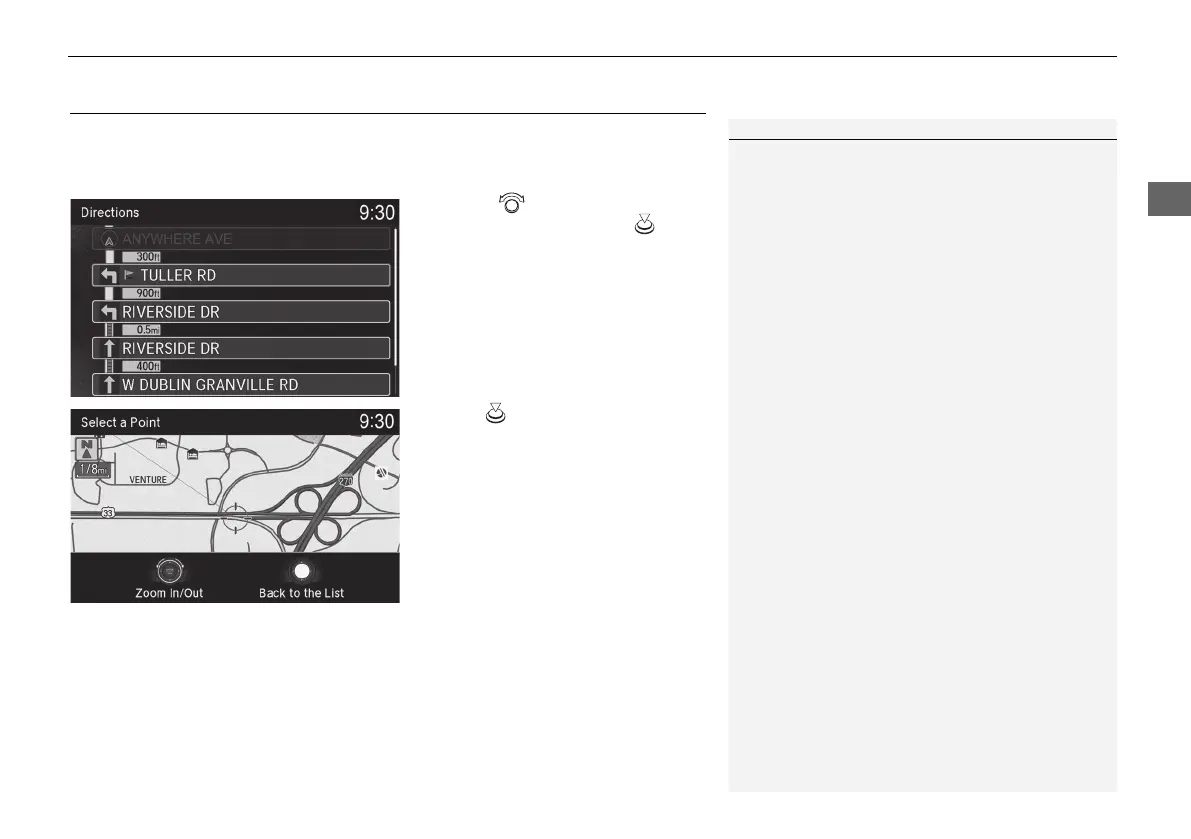
Display a list of the guidance points on your route for your confirmation.
1. Rotate to select a guidance
point from the list. Press .
u The system displays a map of
the guidance point.
2. Press to select Back to the List
or press the BACK button to
return to the previous screen.
1 Directions
The system provides freeway/highway exit
information only in the U.S.
The route guidance information is automatically
deleted when you reach your destination.
19 ACURA ILX NAVI-31TX68600.book 117 ページ 2018年8月8日 水曜日 午後2時21分



 To Next Page
 Loading...


