▲
CONTINUED
The ignition switch must be in
ACCESSORY (I) or ON (II).
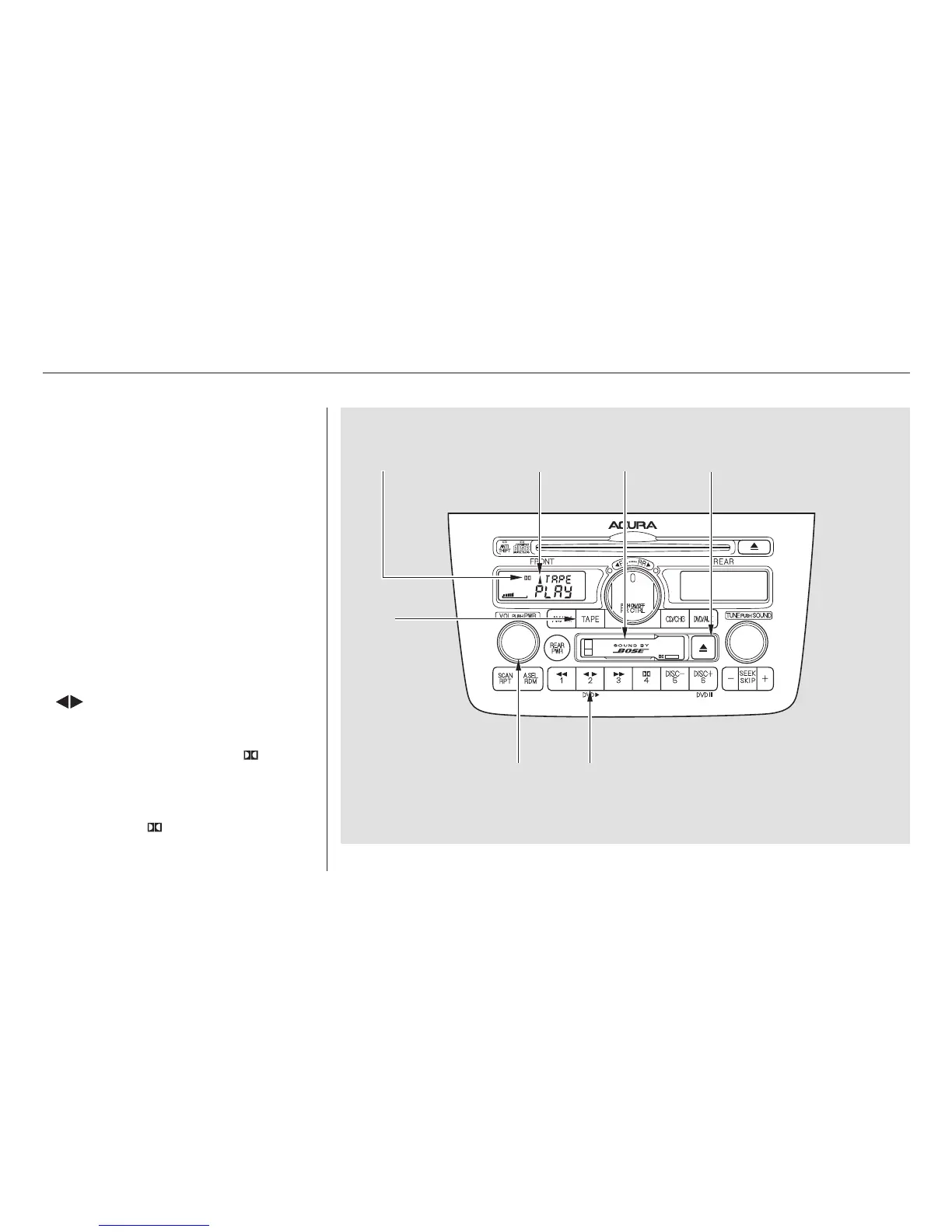
Make sure the tape opening on the
cassette is facing to the right, then
insert the cassette most of the way
into the slot. The system will pull it
in the rest of the way, and begin to
play.
The tape direction indicator will light
to show you which side of the
cassette is playing. The indicates
thesideyouinsertedfacingupward
is now playing. If you want to play
the other side, press the PROG
( ) button.
Dolby noise reduction turns on when
you insert a cassette. The indi-
cator will light in the display. If the
tape was not recorded with Dolby
noise reduction, turn it off by
pressing the button.
Audio System
Comfort and Convenience Features
Operating the Cassette Player
191
DOLBY
INDICATOR
CASSETTE
SLOT
TAPE
BUTTON
PROG BUTTON
PWR/VOL KNOB
TAPE DIRECTION
INDICATOR
TAPE EJECT
BUTTON
02/07/30 21:52:29 31S3V620 0196



 To Next Page
 Loading...