Instruction Manual
SAVE THIS MANUAL FOR FUTURE REFERENCE.
Questions? Contact Customer Support at
(877) 221-1252 or visit www.AcuRite.com.
CONTENTS
Unpacking Instructions ........... 2
Package Contents .................. 2
Product Registration ............... 2
Features & Benets: 5-in-1 ....... 3
Features: Display Unit ............ 4
Back of Display Unit ............... 6
Setup .................................... 7
5-in-1 Sensor Setup ................ 7
Display Unit Setup ................. 8
Set the Time & Date ............... 9
Measurement Units ...............10
Set Language .......................10
Sensor & Display Placement .. 11
5-in-1 Sensor Installation ........ 12
PC Connect Overview ...........13
PC Connect USB Modes ........13
PC Connect Software ............14
Using the Weather Center .....15
Weather Ticker .....................16
Programmable Alarms ........... 18
Troubleshooting ....................19
Care & Maintenance ............ 22
Calibration .......................... 22
Specications ........................24
FCC Information ...................24
Customer Support ................ 25
Warranty............................. 25
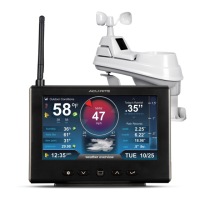
Professional Weather Center
model 01525

 Need help?
 General

 To Next Page