14
Download the PC Connect Software
PC Connect software is available as a free download online. The PC Connect
instruction manual is a PDF le that is included in the software download.
Read the manual to learn how to setup PC Connect preferences and advanced
features.
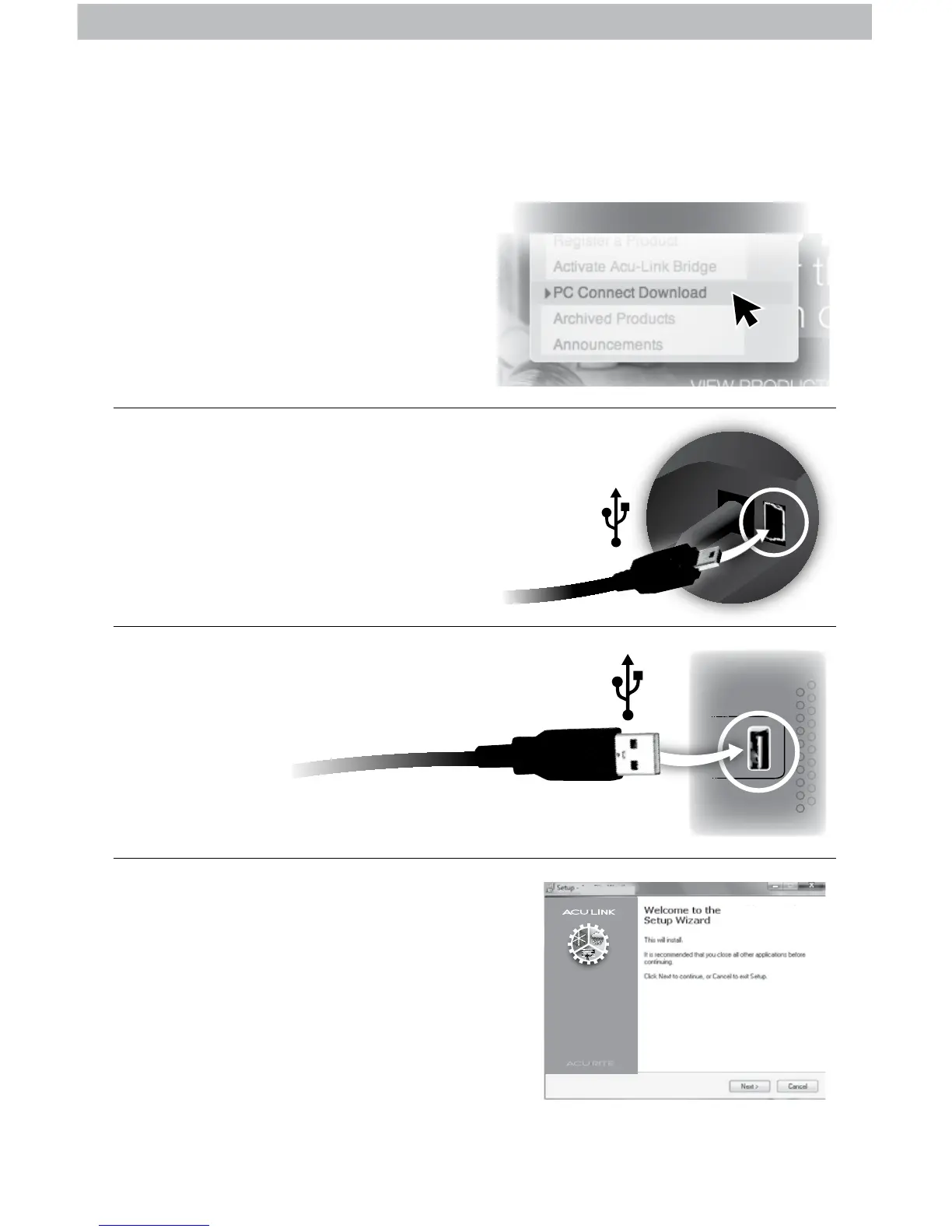
Visit www.AcuRite.com and click
on PC Connect Download under
the SUPPORT menu to download
the software to your computer.
Connect small end of USB cable
into USB plugin, on the back
of the display unit inside the
battery compartment area.
Connect large end of the USB
cable to a USB port on your PC.
Click on the “setupacu-link” le and
follow the instructions to install AcuLink
PC Connect software. A folder named
“AcuRite” will be installed on your PC.
NOTE: PC Connect software may take
up to 1 minute upon startup to receive
data from display unit.
PC Connect is now ready for use.
PC Connect
Acu-Link PC Connect
Acu-Link PC Connect
Acu-Link PC Connect v. X on your computer
SUPPORT
(PC)
1
2
3
4



 To Next Page