Acurus MUSE Immersive Processor USER GUIDE
Revision 20190227
Document 1000905
Loudspeaker
Format
Indicator
Main (Cont’d)
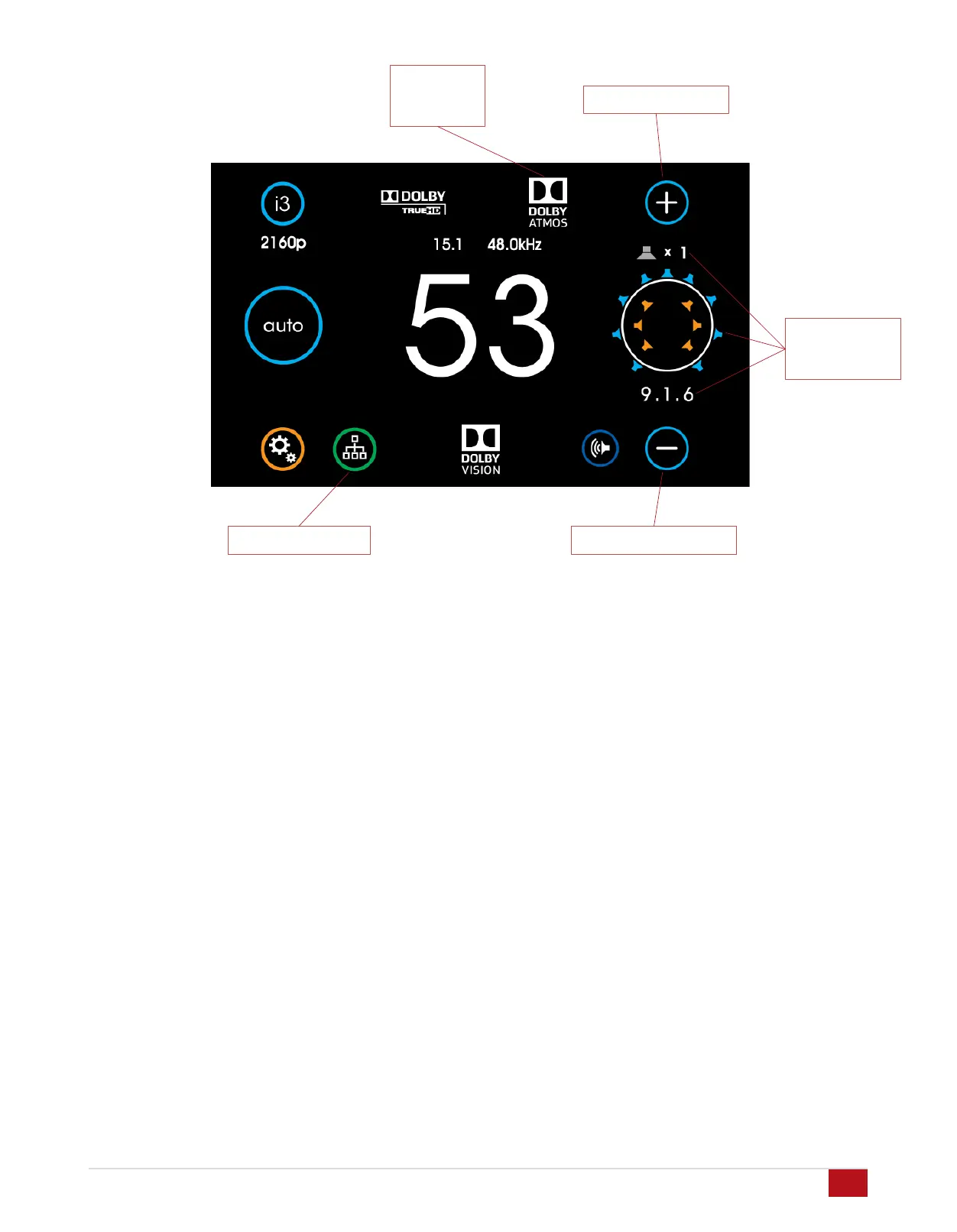
Output Processing Indicator: This indicator shows the
processing applied (if any) to the input signal. Processing
technologies (also referred to as “post-processing”) can include
“direct” as well as various other up-mixing technologies from
Dolby and DTS. Both Sound Mode and Loudspeaker layout
impact the output processing applied.
Loudspeaker Format Indicator: To the far right in the main
screen is the signal format indicator. A quick glance shows the
active (sound-producing) loudspeakers in the room resulting
from a combination of the input signal format, the sound mode,
the loudspeaker layout and any additional output processing
being applied. The number below the diagram indicates the
numeric description of the resulting processed signal format.
Note that this format is often not the same as the input signal
format, particularly if up-mixing or down-mixing is being
performed.
Network Indicator/Settings Button (lower right): This button
serves to bring up the Network Quick-connect screen for
quickly retrieving the IP address of the MUSE. It also indicates
network status by illuminating bright green with an active
Ethernet connection and dimmed out with no connection
detected. (see page 17)
Volume Up Button (upper right): Touch this button to increase
the audio volume.
Volume Down Button (lower right): Touch this button to
decrease the audio volume.
Network Indicator
Output
Processing
Indicator
16
Volume Down Button
Volume Up Button


 To Next Page