17
Acurus MUSE Immersive Processor USER GUIDE
Revision 20190227
Document 1000905
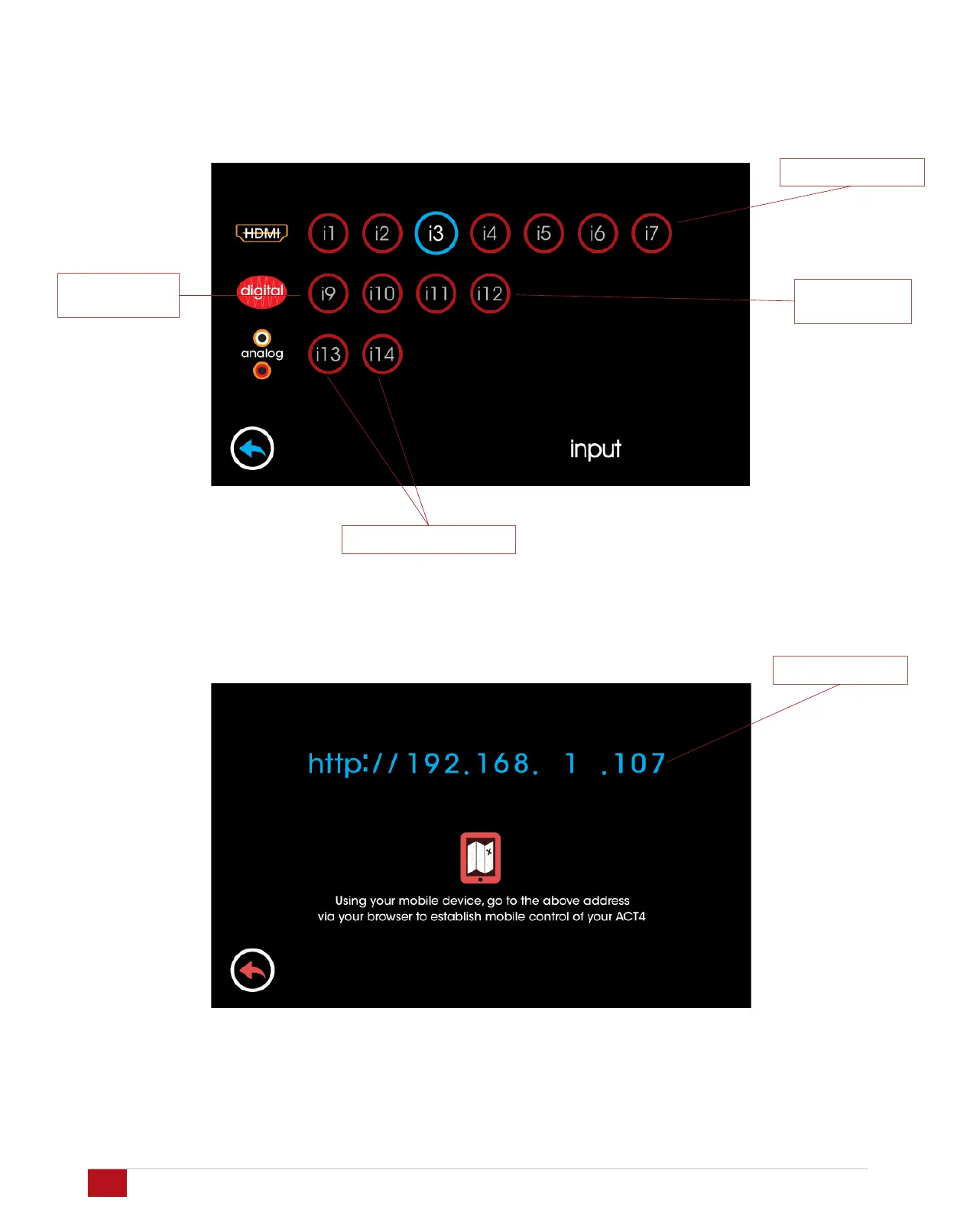
HDMI Inputs i1 – i7
Optical inputs
i9 - i10
Analog Inputs i13 – i14
Input Selection
Touching the input button brings up the input selection page.
Here you can select from HDMI sources, digital audio sources
and analog input sources.
Coax digital
inputs i11 - i12
Network Quick-Connect
Touching the green network button on input lower right of the
main page brings up the current IP address of the MUSE. This
address can be used for remote control and setup. (see page
38)
MUSE IP address


 To Next Page