10 D3V MANUAL [ENGLISH] 11D3V MANUAL [ENGLISH]
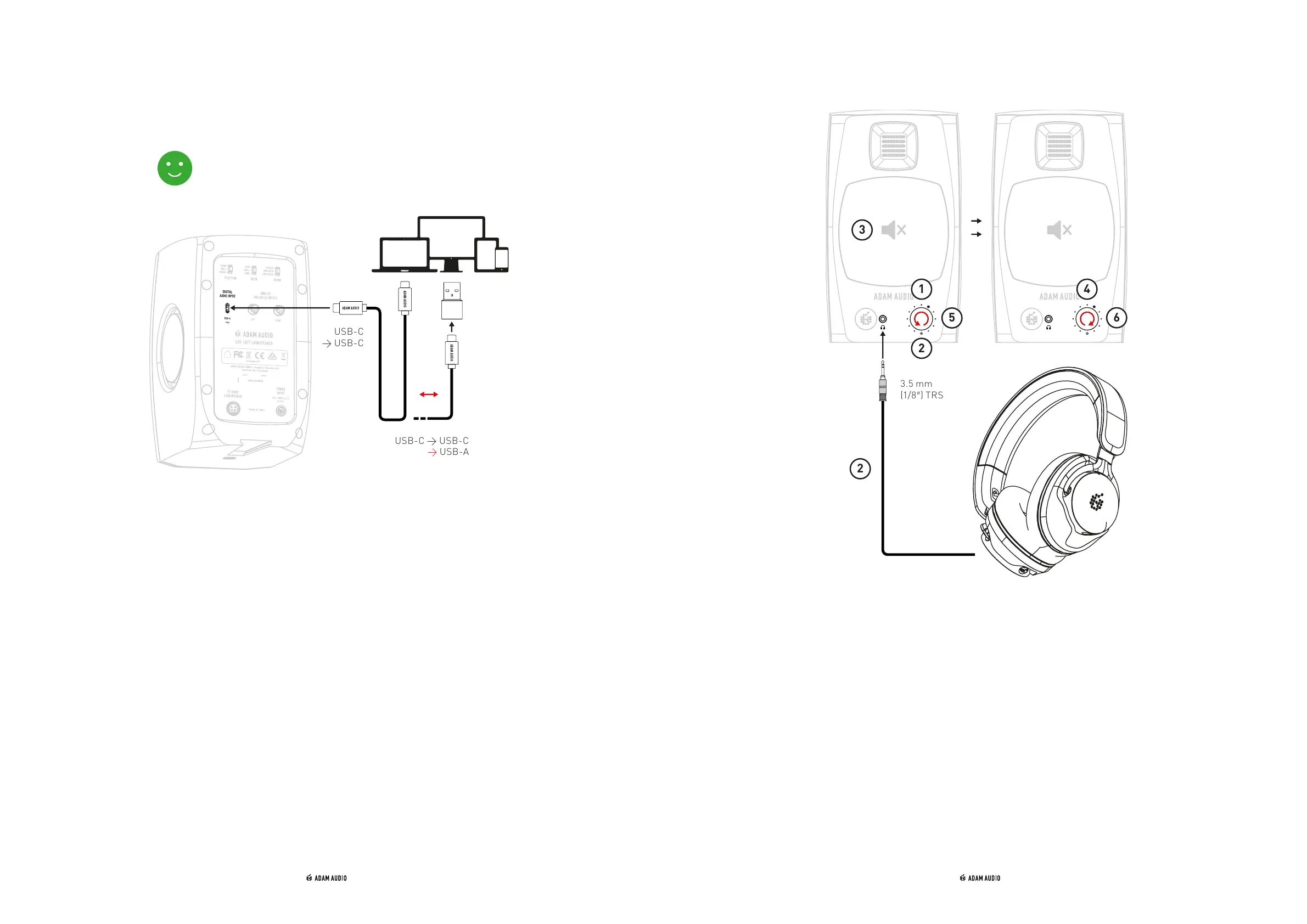
d) Digital audio connection e) Headphone connection
USB-C → USB-C
→ USB-A
USB-C
→ USB-C
→ Use the included USB-C-to-USB-C cable to connect the D3V “DIGITAL AUDIO
INPUT” to your computer, tablet, or phone.
→ If your source device doesn´t include a USB-C socket, use the included USB-C-to-
USB-A adaptor instead.
→ To reproduce digital audio from your source, the digital input needs to be selected
→ see chapter 5 “Use of rotary front knob & LED states”
→ If your device doesn´t automatically switch its audio output to the D3V, go to the
audio preferences within your device settings and manually select “ADAM Audio
D3V” as the output device.
① Select the analog or digital input you would like to listen to with your headphones
→ see chapter 5 “Use of rotary front knob & LED states”
② Lower the D3V output volume to minimum by turning the volume knob
anticlockwise before connecting your headphones to the device using the front
panel's 3.5 mm (1/8”) TRS socket.
③ When your headphones are connected, audio reproduction via the loudspeaker
drivers is automatically muted and audio will be reproduced only via the headphone
output.
④ Adjust the volume of your headphones to your liking by turning the volume knob
clockwise.
⑤ To switch back audio reproduction from headphones to the D3V itself, lower the
D3V output volume to minimum by turning the volume knob anticklockwise before
pulling out the headphones jack.
➅ Raise the volume back to your liking by turning the volume knob clockwise.


 To Next Page