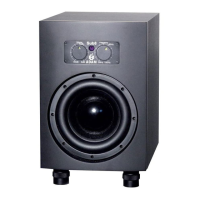
3. Information for Set Up
Important information for set up
Acclimation:
Afterhavingunpackedyoursubwoofer,pleaseallowthesystemtoacclimate
tothetemperatureoftheroomforapproximatelyanhour.
Solid stand:
Itisimportanttoensurethesubwoofersitsrmlyonasolidsurface!
Transportation/packaging:
Werecommendthatyouretaintheoriginalpackaging,asitisthebestwayto
guaranteesafetransportationshouldtheneedtodosoarise(see).
Break-in time:
Please note that the subwoofers will take some break-in time to achieve
optimumsonicperformance.
Danger from high SPLs:
Exposure to high sound pressure levels may cause permanent hearing
loss!Pleasedonotgetclosetothesubwooferswhenusingthemathigh
volumes.
Placement:
Pleasenote,thatforaseamlessintegrationbetweenthesubwooferandthe
mainspeakers,placementisveryimportant(seep.7).
LEDs:
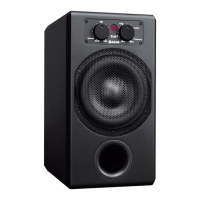
TherearetwoLEDsonthefront,oneoneachpotentiometer.
Theleftonewillblinkafewtimesredwhenthesubwooferisbeingswitched
on. This does not indicate an overload but the control function of the
protectivecircuit.Onlyifthediodeashesredduringoperationthisindicates
anoverload.Afterwards,thediodeglowsgreen.
Therightdiodewillglowgreenduringoperationandyellowduringstand-by
(signal-on-mode,see6.2).
d)
a)
b)
c)
e)
f)
g)
g. 1: LEDs
LED 1: blinks red a
few times when sub is
switched on
LED 2: green, indicating
operation; turns yellow
in stand-by-mode


 To Next Page