CLEARPASS Full-Body Security Screening System
OPERATION
MANUAL
Identification
ADN190.00.00.000 OM2
Revision
1
Date
02.2022
Page
43 of 52
5 OPERATION
5.1. PEROFRMING THE SCANNING
The scanning should be performed following the sequence below:
1) Register an individual to be inspected using the Operator’s Program in accordance with
the Operator’s Manual.
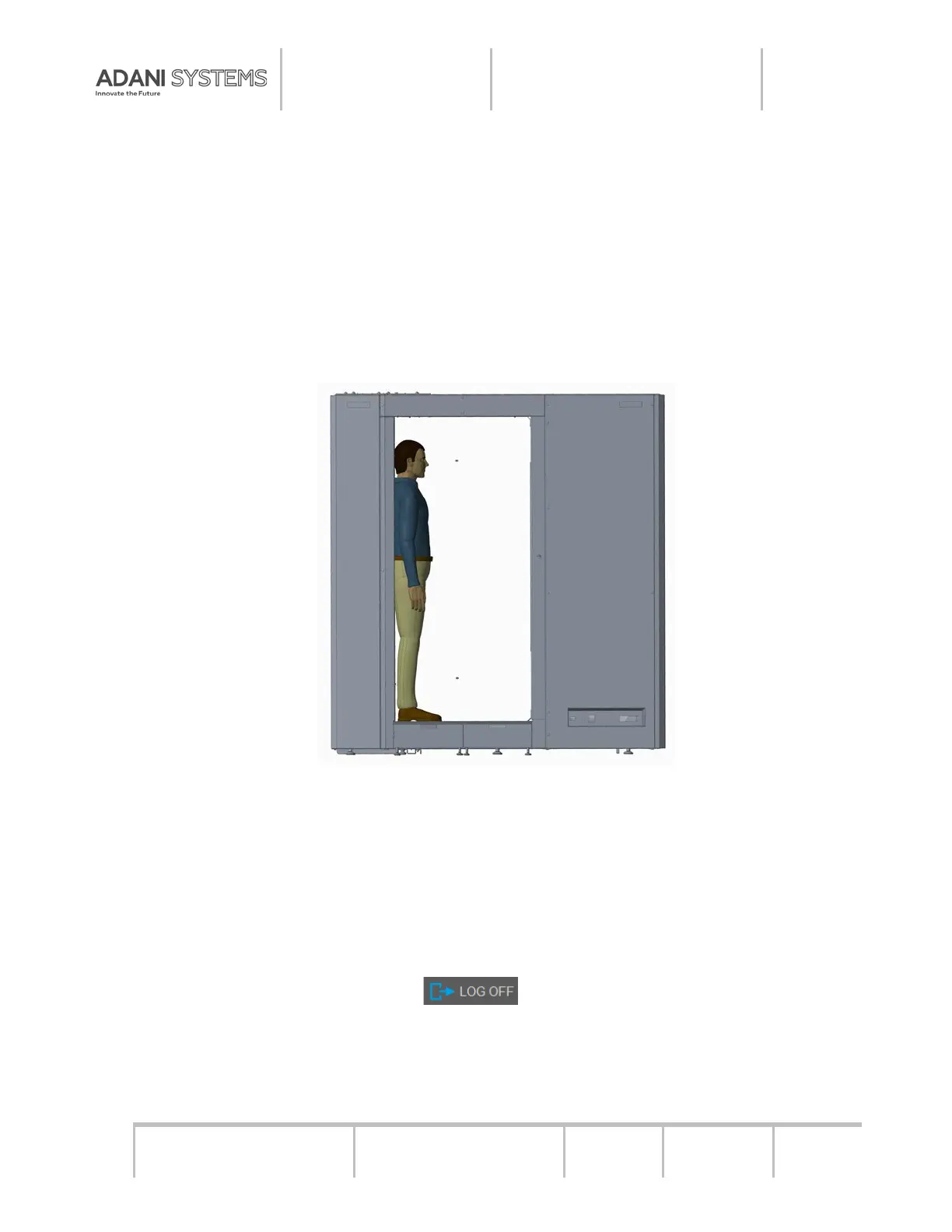
2) Place the inspected individual on the moveable platform or the conveyor belt as shown
in Figure 5.1.
Figure 5.1 – Positioning the Inspected Individual during Inspection
3) Perform the scanning as stipulated in the Operator’s Manual.
4) Review and analyze the acquired image (if necessary, save the image to a hard disc
and/or print it) in accordance with the Operator’s Manual.
5.2. SWITCHING OFF
The switching off is performed following the sequence mentioned below:
− Click the LOG OFF button or use the corresponding combination of
shortcuts:
− Follow the standard procedure to switch off the computer by clicking “POWER” →
“Shut down”;


 To Next Page