26
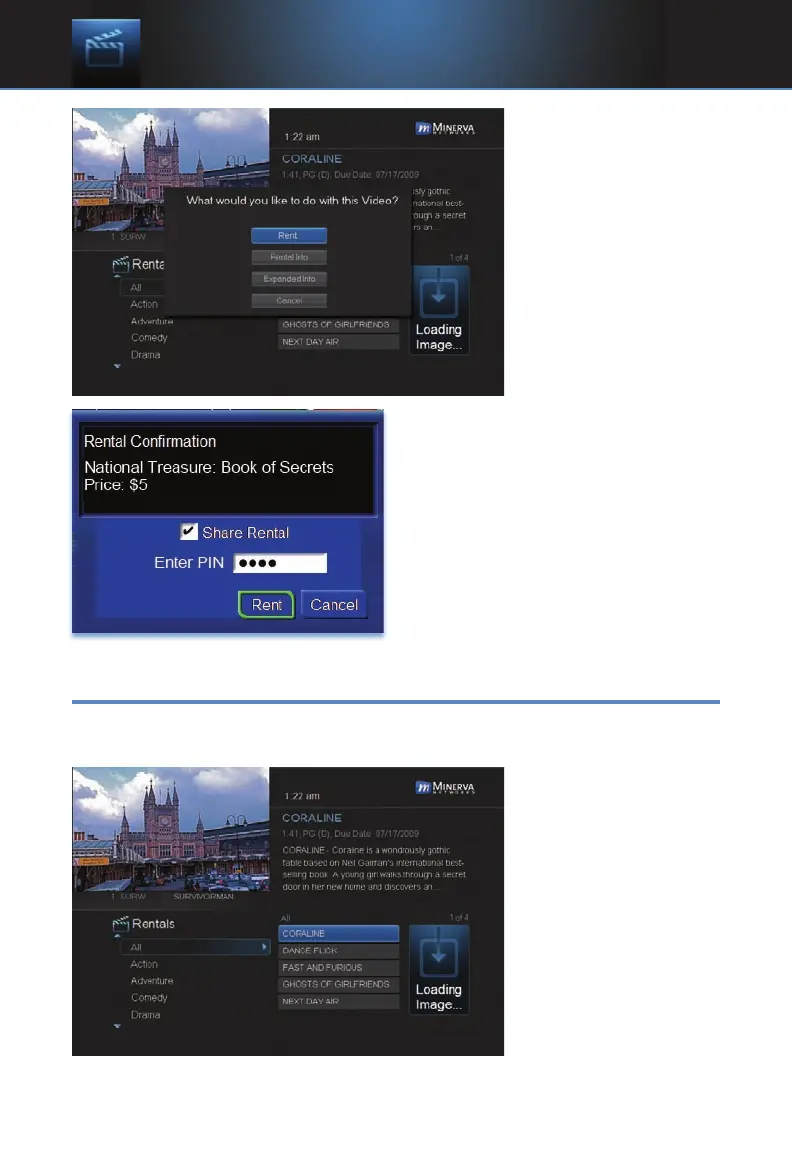
Step 2: Rent
Highlight Rent and
press OK.
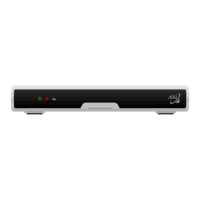
Step 3: Confirm Your Rental
The confirmation screen appears.
If you want other users to be able to
watch this VOD Rental, highlight the
Share Rental check box and press
OK.
Now highlight the text box next to
Enter PIN and use the Number
Pad to enter your PIN, then highlight
Rent and press OK to confirm your VOD Rental.
Watch Your VOD Rental
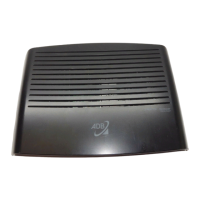
You can play your VOD Rental from Rentals or from My Library.
Note: For information on the My Library, see section 8 My Library.
Step 1: Pick Your
Rental
Highlight your VOD
Rental and press OK.
6 Rentals



 To Next Page