© ADB SAFEGATE All Rights Reserved
17
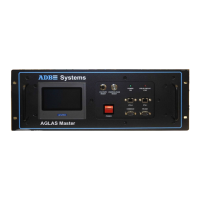
2.5 Replacing a stand-alone AGLAS Master
Step 1: Before exchanging a AGLAS Master, record its technical information.
Step 2: Switch off the AGLAS Master to be replaced with the Power Switch and its associated series circuit and disconnect it from
the mains power supply by removing the fuses of the Constant current regulator.
Step 3: Pull out the cut-out for the series circuit, if available. If possible earth ground the series circuit and wait 5 minutes until the
circuit is fully discharged.
Switch off any ground fault detection devices (IRMS) which may be connected to this circuit.
NOTE: For all work on the devices, follow the “Safety Instructions” on page 16.
Step 4: Removing the AGLAS Master
First separate the high-voltage connections “FIELD” and “CCR” on the AGLAS Master at their cable plug connections and pull the
rubber connector out of the POWER socket.
Open the ground connection by loosening the nut on the earth ground screw of the AGLAS Master.
Remove connected network links on Ethernet 0, and Ethernet 1.
Now, physically remove the AGLAS Master from the control cabinet.
a. Loosen and slide back the top cover of the old master.
b. Remove the CF cord from the SBC.
c. Loosen and slide back the top cover pf the new master.
d. Swap the CF card in the new master with the one from the old master.
Step 5: Install the new AGLAS Master according to the “Installation of stand-alone AGLAS Masters” on page 14.


 To Next Page