13
If the blood pressure monitor is not used for long periods, remove the•
batteries from the device.
Use “AA” Long-Life or Alkaline 1.5V batteries. Do not use rechargeable•
batteries.
Functional check: Press the «MEMORY» button down to test all the•
display elements. When functioning correctly many icons will appear.
5.2. Using the AC Power Adapter
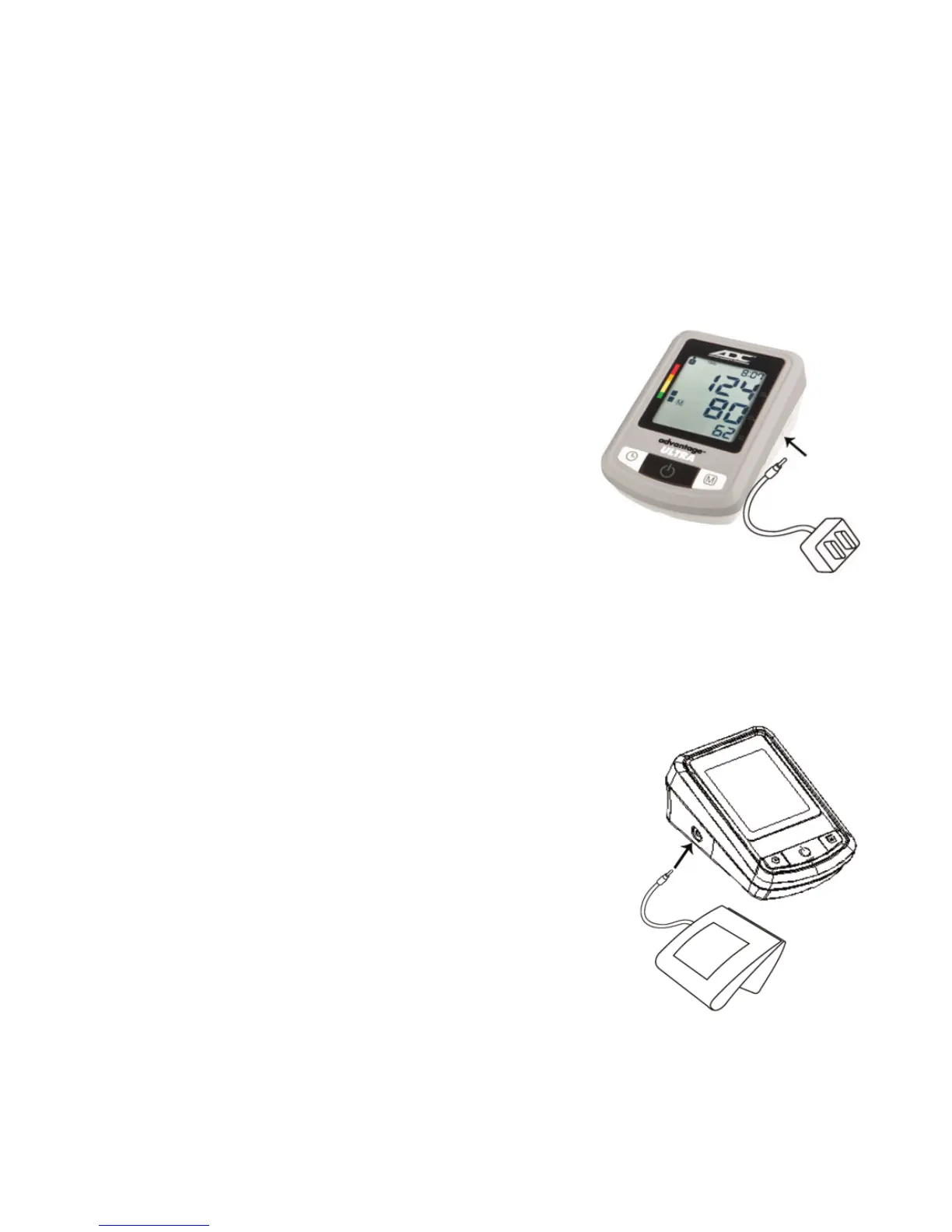
It is possible to operate the Automatic Blood
Pressure Monitor with an AC adapter.
Push the plug into the port on the right side 1.
of the device.
Plug the AC adapter into a 120V power socket.2.
The device is ready for measurement.
Test that power is available by pressing the 3.
«ON/OFF» button.
NOTE:
Use only the AC adapter provided with your device. ADC
®
is not•
responsible for the warranty servicing/repair of the monitor if any other
adapter is used.
No power is taken from the batteries while the AC•
adapter is connected to the device.
Consult ADC
®
if you have any questions relating to•
the AC adapter.
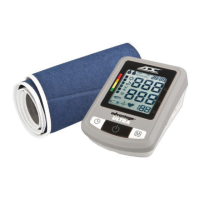
5.3. Cuff Connection
Insert the cuff tube into the opening provided on•
the left side of the device as shown in the picture.
5.4. Setting the Time and Date
This blood pressure monitor incorporates an integrated clock with date
display. The device will also store the date and time of each measurement in
its memory. After new batteries have been inserted, the device will request
the date and time to be reset.



 To Next Page