EasyManua.ls Logo

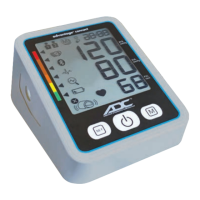
ADC advantage connect 6024N - User Manual

ADC advantage connect 6024N
32 pages
Print Icon
To Next Page IconTo Next Page
Loading...
This medical instrument must be used according
to instructions to ensure accurate readings.
Questions?
Call ADC at 1-800-232-2670
Instructions for Use
Models 6024N and 6025N
advantage connect
®
FeaturingADC
@
Home
TM
Connectivity

Other manuals for ADC advantage connect 6024N

Questions and Answers

  • C
    contrerasjulieAug 16, 2025
    Why does my ADC Measuring Instruments show 'HI'?
    • D
      Dennis BrownAug 16, 2025
      The 'HI' error appears on your ADC Measuring Instruments when the pressure in the cuff is too high (over 299 mmHg) or the pulse is too high (over 200 beats per minute). Relax for 5 minutes and then repeat the measurement.
  • L
    Lisa Rowland MDAug 19, 2025
    What to do if my ADC advantage connect 6024N displays a blank screen?
    • T
      Thomas HooverAug 19, 2025
      If the display of your ADC Measuring Instruments remains blank when switched on, even with batteries in place: * First, check the battery installation and polarity. * Second, remove the batteries. If the display looks unusual, replace them with new ones, ensuring correct polarity.
  • M
    Madison CarrAug 22, 2025
    What to do if my ADC Measuring Instruments shows 'Err 3 pressure'?
    • T
      thomas54Aug 22, 2025
      If your ADC Measuring Instruments displays 'Err 3 pressure', a leak may have occurred. Check that the cuff is correctly connected and is not too loose. If necessary, replace the batteries and repeat the measurement.
  • M
    melissa94Aug 26, 2025
    Why ADC advantage connect 6024N values differ from the doctor's?
    • F
      frankthompsonAug 26, 2025
      Blood pressure is subject to fluctuations, even in healthy people. Comparable blood pressure measurements always require the same time and the same conditions! If your blood pressure readings regularly fluctuate more than 15 mmHg, or if you repeatedly see the irregular heartbeat icon, consult your doctor.
  • J
    Jacqueline DelgadoAug 28, 2025
    What to do if ADC advantage connect 6024N Measuring Instruments frequently fails to measure?
    • K
      Kimberly StanleyAug 28, 2025
      If your ADC Measuring Instruments frequently fails to measure, or the values measured are too low or high: * Ensure the cuff is correctly fitted on your arm. * Confirm you're using the proper measuring technique.
  • D
    Daniel VargasAug 31, 2025
    What to do if my ADC advantage connect 6024N Measuring Instruments shows 'Err 2'?
    • S
      samuel54Aug 31, 2025
      If your ADC Measuring Instruments displays 'Err 2', it means that error signals were detected by the cuff during the measurement, possibly due to movement or muscle tension. Repeat the measurement, ensuring your arm remains still.
  • E
    Eric MaySep 3, 2025
    Why does my ADC Measuring Instruments give different values every measurement?
    • J
      Jason PhillipsSep 3, 2025
      When every measurement with your ADC Measuring Instruments results in different values, confirm you're using the proper measuring technique.
  • E
    emaciasSep 6, 2025
    What to do if my ADC advantage connect 6024N Measuring Instruments pressure does not rise?
    • P
      Priscilla CookSep 6, 2025
      If the pressure does not rise on your ADC Measuring Instruments, although the pump is running, check the connection of the cuff tube and connect it properly.
  • R
    Rhonda WilsonSep 9, 2025
    What to do if my ADC advantage connect 6024N Measuring Instruments shows 'Err 5'?
    • E
      Elijah WoodsSep 9, 2025
      If your ADC Measuring Instruments displays 'Err 5', the measuring signals are inaccurate. Repeat the measurement.
  • T
    Tristan FreemanSep 12, 2025
    How to fix 'Err 1' on ADC advantage connect 6024N Measuring Instruments?
    • M
      Megan PerrySep 12, 2025
      If your ADC Measuring Instruments shows 'Err 1', it means the pulse signals on the cuff are too weak. Reposition the cuff and repeat the measurement.

Summary

Contraindications

Warnings and Precautions

Setting Up Your Monitor

Insert the Batteries

Guide on how to install batteries for device operation.

Using Your Monitor with a Smartphone or Tablet

Install The App

Steps to download and install the ADC@Home mobile application on your device.

Pair Your Device

Instructions for pairing the blood pressure monitor with a smartphone or tablet via Bluetooth.

Preparing for a Measurement

Taking a Measurement

Using the Memory

MAM Advantage Average Mode

Irregular Heartbeat Detector

Traffic Light Indicator

Performing Reliable Measurements

Error Messages and Troubleshooting

Other possible errors and their solutions

Addresses other malfunctions and provides troubleshooting steps for the device.

Care and Maintenance

ADC advantage connect 6024N Specifications

General IconGeneral
BrandADC
Modeladvantage connect 6024N
CategoryMeasuring Instruments
LanguageEnglish

Related product manuals