26 American Dryer Corp. 450269-2
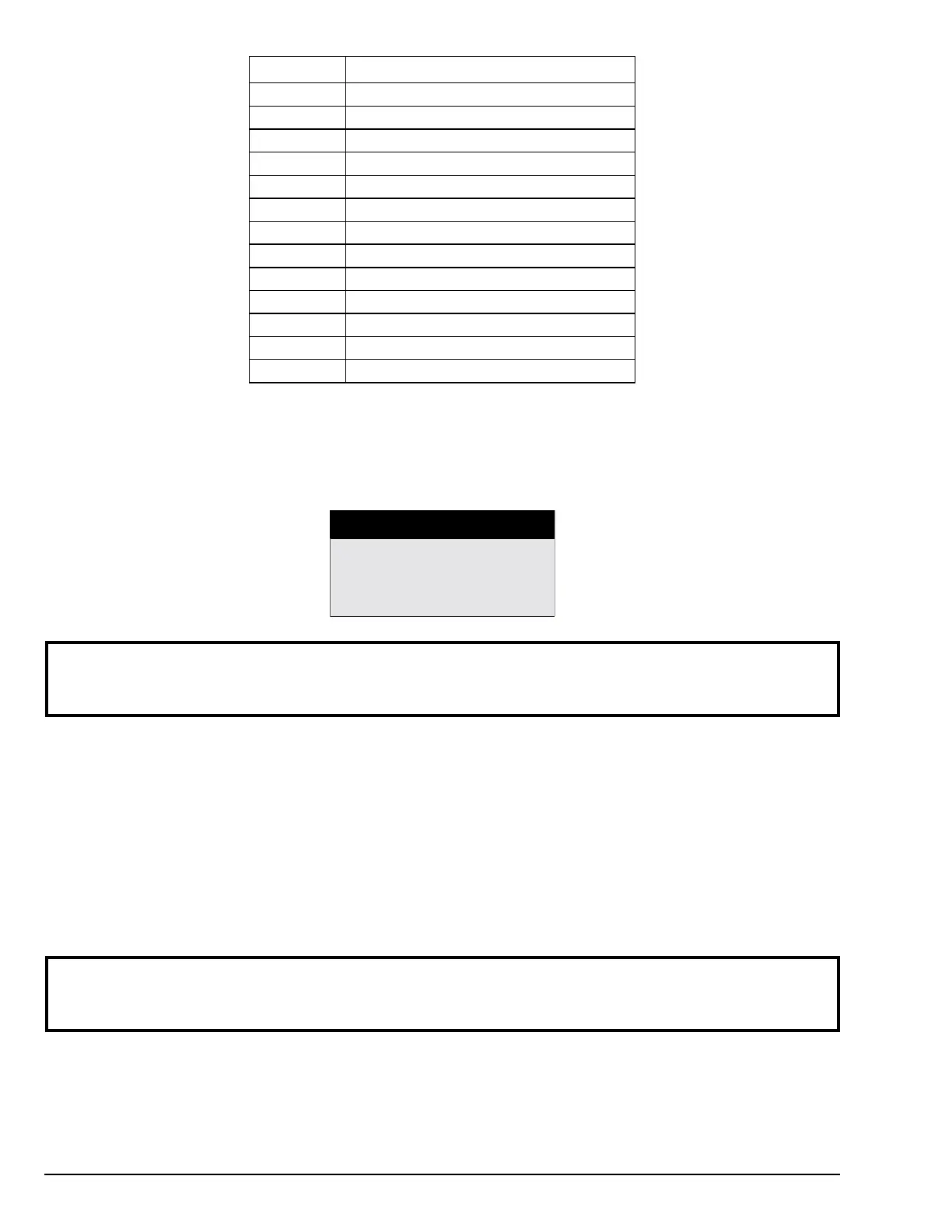
EVENT I.D. FAILURE DESCRIPTION
E1 Top Radiant Sensor fault count
E2 Top Burner Ignitor fault count
E3 Top Exhaust High Limit
E4 Bottom Radiant sensor fault count
E5 Bottom Burner ignitor fault count
E6 Bot Exhaust High Limit
E7 Coin 1 Bad Coin count
E8 Coin 2 Bad Coin Count
E9 Upper pocket forward rotation sensor fault count
EA Upper pocket reverse rotation sensor fault count
EB Lower pocket forward rotation sensor fault count
EC Lower pocket reverse rotation sensor fault count
ED S.A.F.E. DISABLED – Water not connected
DIAGNOSTIC MODE
SELECT CYCLE
2: DIAGNOSTIC CYCLE
Diagnostic Mode enables the user to run the dryer(s) and access items to troubleshoot a problem with the dryer.
When the diagnostic menu is first selected, the controls will prompt the user to start a cycle as seen below.
NOTE: Once a cycle is selected, the control will clear the fault condition so that dryer can be
started. This will also clear all credit in escrow and any cycle time remaining on both
pockets.
When the dryer is still in an idle state, a cycle must be selected. Once a cycle is selected, the unit will enter into
Running Mode. The cycle’s time and temperature will correspond to the selected cycle’s parameter settings under
SETUP Mode.
Once a cycle has been selected the keys will now enable the user to access different features.
• Pressing the HI/UP ARROW key will increase the time of the current running cycle. (1 minute at a time.)
• Pressing the LOW/DOWN ARROW key will decrease the time of the current running cycle. (1 minute at a time.)
• Pressing the PAUSE/STOP key will pause the current running cycle.
• Pressing the MED/ENTER key will access the HELP MENU.
NOTE: If the program key switch is toggled while a cycle is running and no diagnostic codes are
being reported, the current diagnostic cycle will continue to run in Customer Mode. Once
the cycle has finished the control should return to operating in the normal Customer Mode.
When a cycle is running, the control will display DIAGNOSTIC MODE at the top of the display.
If a fault occurs during Diagnostic Mode, the control will enter into a fault cool down and the occurring fault will be
displayed. The fault can be cleared by reentering the diagnostic cycle.


 To Next Page