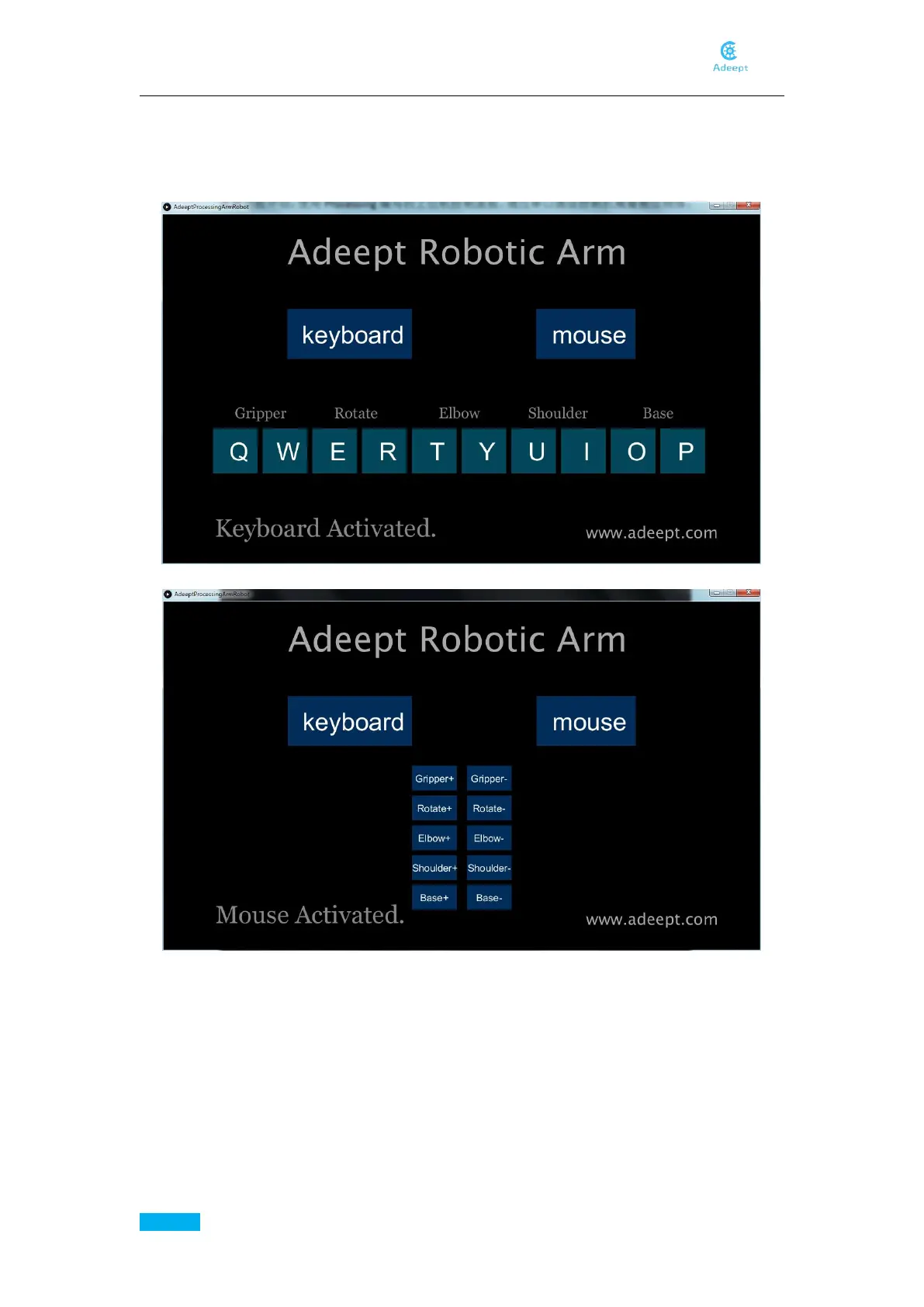
Click "keyboard" the following interface will appear. Next, press the corresponding button on the
keyboard to control the arm. "Q" and "W" control servo4 (Gripper), "E" and "R" control servo5
(Rotate), "T" and "Y" control servo3 (Elbow), "U" and "I" control servo2 ( Shoulder), "O" and "P"
control servo1 (Base).
Click "mouse" and the following interface will appear.
At this point, click the corresponding button, the robotic arm will make the corresponding
movement. "Gripper+" and "Gripper-" control the servo4, "Rotate+" and "Rotate-" control the
servo5, "Elbow+" and "Elbow-" control the servo3, "Shoulder+" and "Shoulder-" control the
servo2, " Base+” and “Base-” control the servo1.



 To Next Page