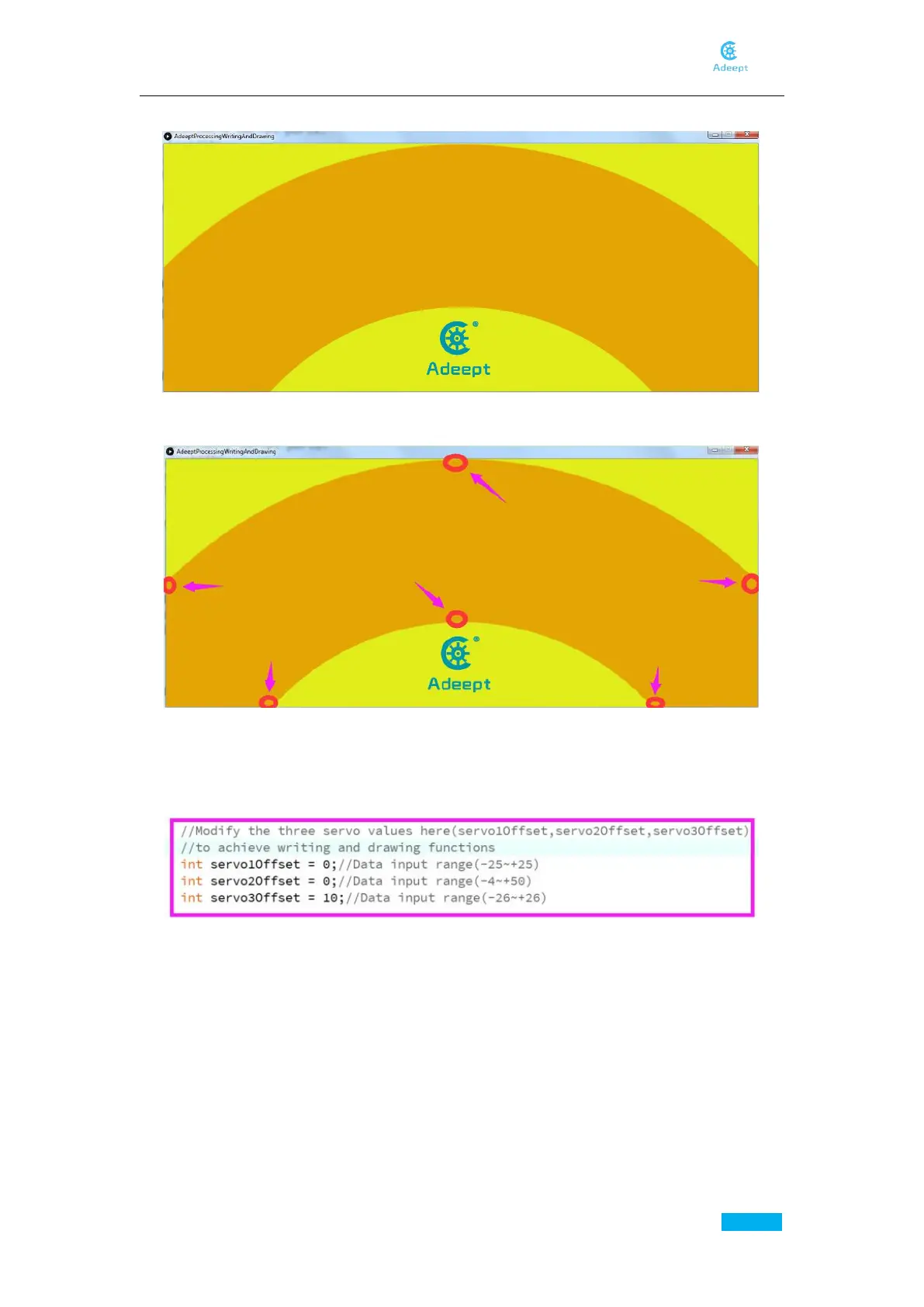
Then click "Run" to run the control panel program, the following control interface will appear:
Click the dots as shown below:
click each dot to see if the tip of the pen falls on the paper. If it’s not or suspend in the air, you
need to modify the three parameters. (Note that there’s certain error existing, the three
parameters are not required to be precise. During the debugging, you will find that several sets of
data can make the robotic arm work normally.)
After modifying the three parameters to make the tip of the pen reach to the paper (do not make
the tip press against the paper), click "Run" to run the control panel program. The robotic arm
will paint as you write or draw in the dark yellow area with the mouse.



 To Next Page