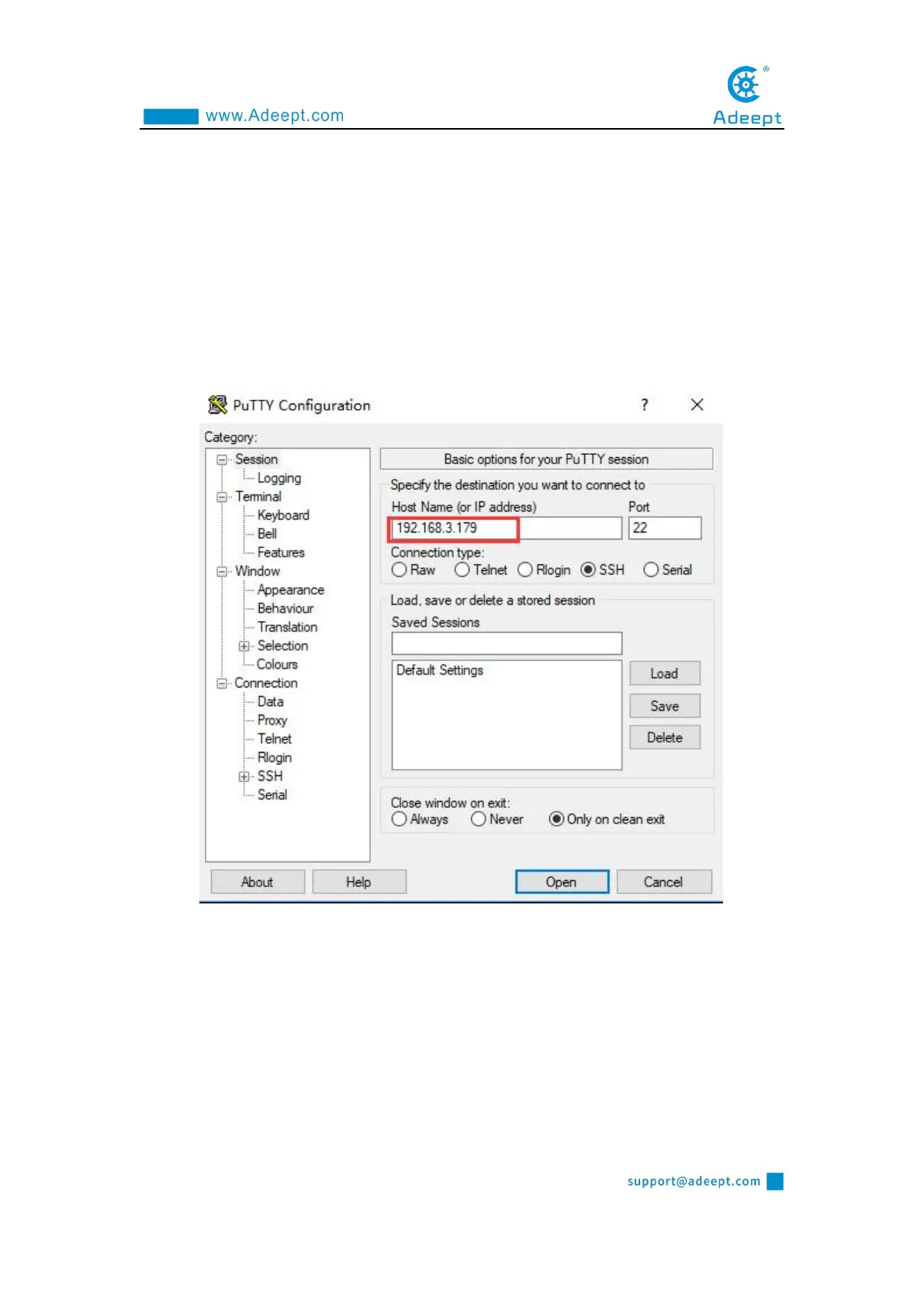
1.6.2.1 Putty
You need to download and install PuTTY corresponding to your computer system
version, and use it to log in to the Raspberry Pi. PuTTY download address:
https://www.chiark.greenend.org.uk/~sgtatham/putty/latest.html
Run PuTTY, enter the IP address of the Raspberry Pi into the Host Name, and
click Open.
• If it prompts Network error: Connection timed out, it means you probably entered
the wrong IP address.
• When the connection is normal, you will see a security warning. You can safely
ignore it and click the "Yes" button. You will see this warning when PuTTY connects
to a Raspberry Pi that has not been connected before.
• You will now see the usual login prompt. Log in with the same username and



 To Next Page