Industrial Electronic Devices
ADFweb.com Srl – IT31010 – Mareno – Treviso INFO: www.adfweb.com Phone +39.0438.30.91.31
RECEIVE FRAMES:
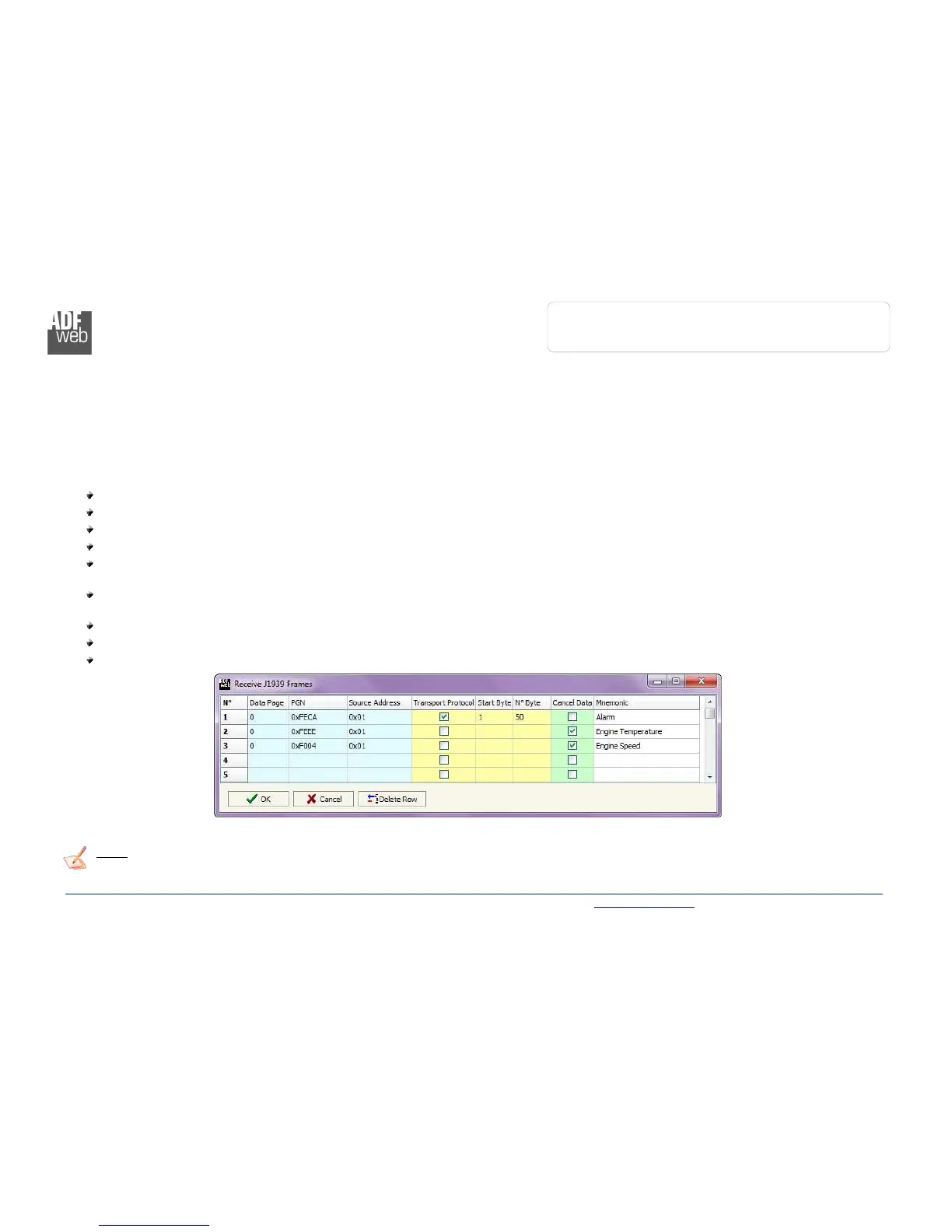
By pressing the “Receive Frames” button from the main window for SW67610 (Fig. 2) the “Receive J1939 Frames” window appears (Fig.
4).
The J1939 frames inserted in this table contains the Output data of PROFINET. These frames are accepted by the gateway.
The data of the columns have the following meanings:
In the field “Data Page” insert the Data Page, the value is 0 or 1 (usually is 0);
In the field “PGN” insert the PGN of the data you would like to read from PROFINET to J1939 (it is an identifier);
In the field “Source Address” insert the address of the device that sends the frame;
If the field “Transport Protocol” is checked the frame use transport protocol functions;
In the field “Start Byte” insert the byte which you would start read, this field is enable only when the field Transport Protocol is
checked;
In the field “N° Byte” insert the number of byte you would read, for example your start byte is 20 an N°byte is 10, you can read the
byte from 20 to 30;
If the field “Cancel Data” is checked, the data in the frame will be erased after the expiration of the “TimeOut Data” defined in
“Set Communication” section;
In the field “Mnemonic” it is possible to insert a brief description.
Note:
It is possible to configure a maximum of 62 frames in the “Receive Frames” section.
Figure 4: “Receive J1939 Frames” window



 To Next Page