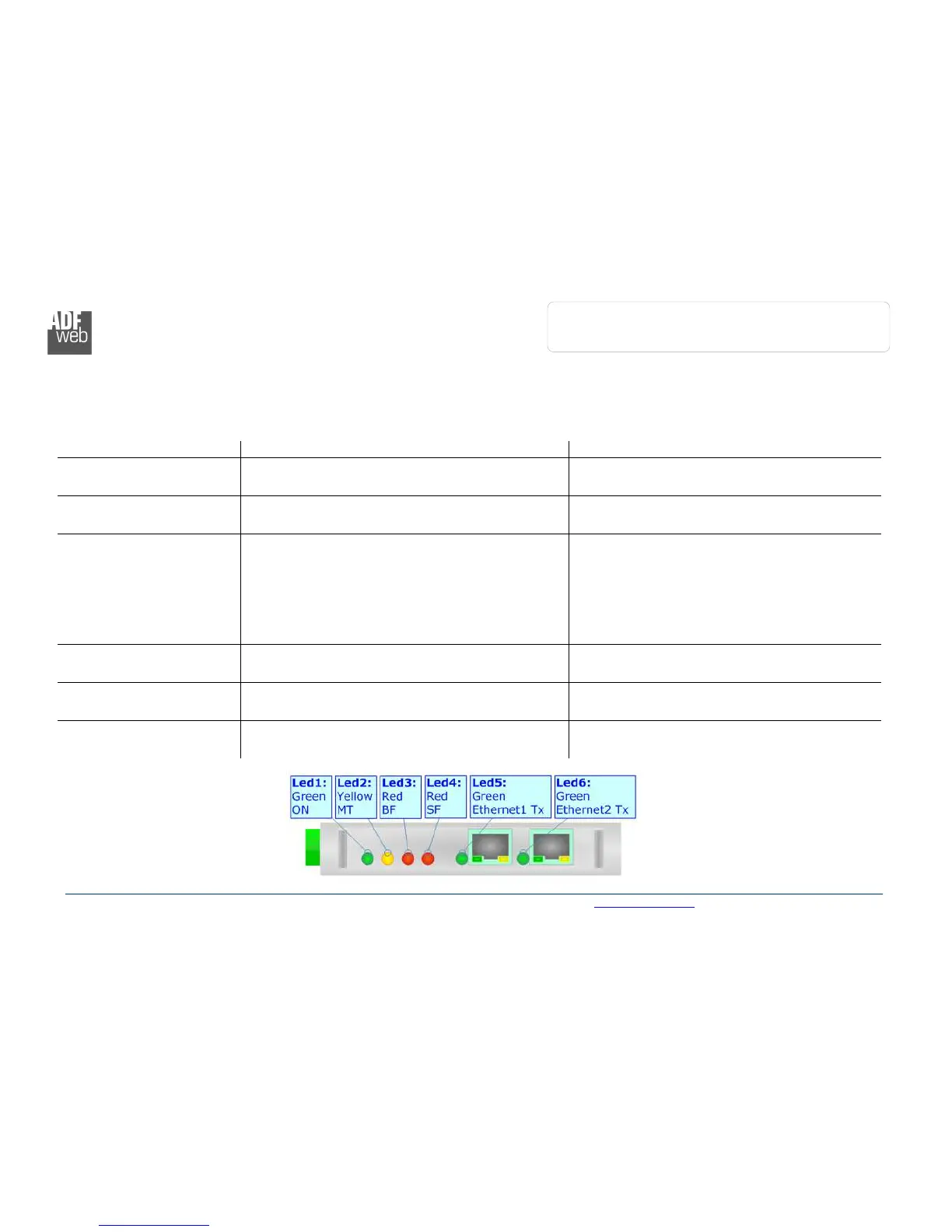
LEDS:
The device has got six LEDs that are used to give information of the functioning status.
The various meanings of the LEDs are described in the table below.
LED Normal Mode Boot Mode
1: ON [supply voltage ]
(green)
ON: Device powered
OFF: Device not powered
ON: Device powered
OFF: Device not powered
2: MT [maintenance display]
(yellow)
ON: Maintenance Problem is present
OFF: No maintenance are present
Blinks quickly: Boot state
Blinks very slowly (~0.5Hz): update in progress
3: BF [bus fault] (red)
ON: The Ethernet connection is defective; the IP
address exists several times in the network; the own
NameOfStation exists several times in the network; no
IP address has been set
Flashing: At least one configured AR is no longer in
the data exchange
OFF: No errors are present
Blinks quickly: Boot state
Blinks very slowly (~0.5Hz): update in progress
4: SF [group error] (red)
ON: At least one AR is not in the data exchange
OFF: No errors are present
Blinks quickly: Boot state
Blinks very slowly (~0.5Hz): update in progress
5: Ethernet1 Tx (green) Blinks when is transmitting Ethernet frames
Blinks quickly: Boot state
Blinks very slowly (~0.5Hz): update in progress
6: Ethernet2 Tx (green) Blinks when is transmitting Ethernet frames
Blinks quickly: Boot state
Blinks very slowly (~0.5Hz): update in progress



 To Next Page