Industrial Electronic Devices
ADFweb.com Srl – IT31010 – Mareno – Treviso INFO: www.adfweb.com Phone +39.0438.30.91.31
FUNCTION MODES:
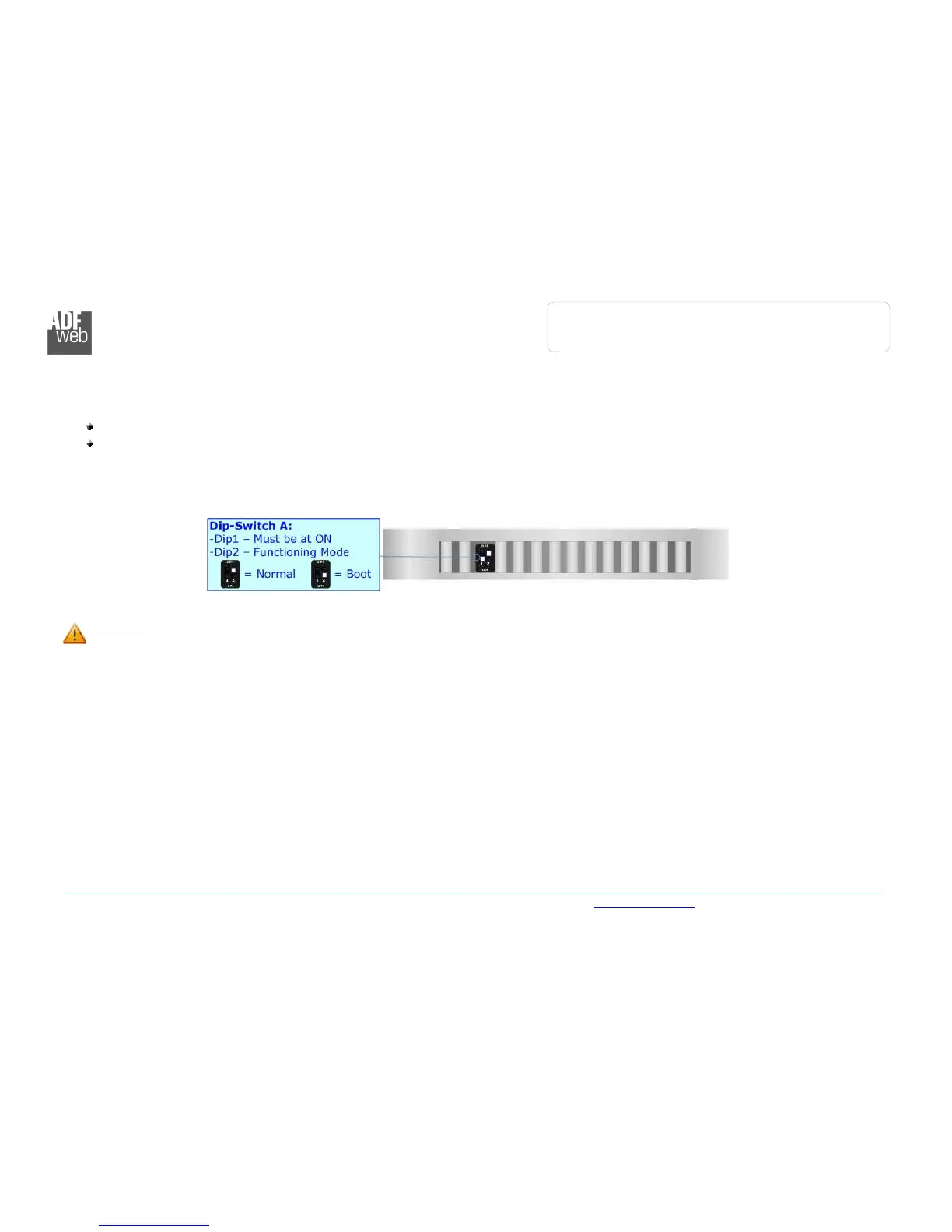
The device has got two functions mode depending of the position of the ‘Dip2 of Dip-Switch A’:
The first, with ‘Dip2 of Dip-Switch A’ at “OFF” position, is used for the normal working of the device.
The second, with ‘Dip2 of Dip-Switch A’ at “ON” position, is used for upload the Project and/or Firmware.
For the operations to follow for the updating, see ‘UPDATE DEVICE’ section.
According to the functioning mode, the LEDs will have specifics functions, see ‘LEDS’ section.
Warning:
Dip1 of ‘Dip-Switch A’ must be at ON position for working even if the Ethernet cable isn’t inserted.



 To Next Page