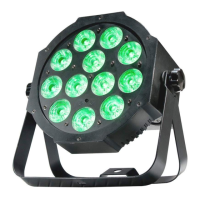
ADJ Products, LLC - www.adj.com - Flat Par TW5 User Manual Page 13
Flat Par TW5 ADJ LED RC3 Operation
SET ADDRESS - Press this button to set the DMX address. Press this button rst, then use the
number keypad to set the address.
Note: When setting the DMX address, an LED color will glow each time a key is pressed. When you
have set the DMX address correctly, all LED’s will ash 2-3 times.
Example: To Set DMX Address 1, Press “S-0-0-1”
To Set DMX Address 245, Press “S-2-4-5”
WW CW A - Press either one of these buttons and the press the “+” or “-” to adjust the output in-
tensity. Press Flash to activate/deactivate strobing. Use the “+” and “-” buttons to adjust the strobe
speed.


 To Next Page