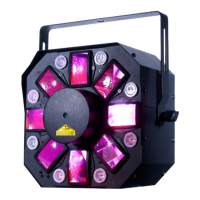
Boom Box FX2 Primary-Secondary Set Up
ADJ Products, LLC - www.adj.com - Boom Box FX2 User Manual Page 18
Primary-Secondary Operation This function will allow you to link up to 16 units together and oper-
ate without a controller. In a Primary-Secondary set up, one unit will act as the controlling unit and
the others will react to the controlling units programs. Any unit can act as a Primary or as a Second-
ary.
1. Using approved DMX data cables, daisy chain your units together via the XLR connector on the
rear of the units. Remember the Male XLR connector is the input and the Female XLR connector
is the output. The rst unit in the chain (primary) will use the female XLR connector only - The last
unit in the chain will use the male XLR connector only. For longer cable runs we suggest a
terminator at the last xture.
2. On the Primary unit press the MENU button until “SCND” is displayed, and press ENTER. Use the
UP and DOWN buttons to scroll to the “Pr 1” setting and press ENTER.
3. After setting the Primary unit to the primary setting nd and set your desired operating mode.
4. On the secondary units press the MENU button until “SCND” is displayed, and press ENTER.
Choose either “Sec 1” or “Sec 2” and press ENTER.
5. The secondary units will now follow the primary unit.
Boom Box FX2 Power Cord Daisy Chain
With this feature you can connect the xtures to one another using the IEC input and output
sockets. The quantity that can be connected is 9 xtures maximum @ 120V, and 17 xtures
@ 230V. After the maximum amount of xtures has been reached, you will need to use a new
power outlet. They must be the same xtures. DO NOT mix xtures.


 To Next Page