page 16
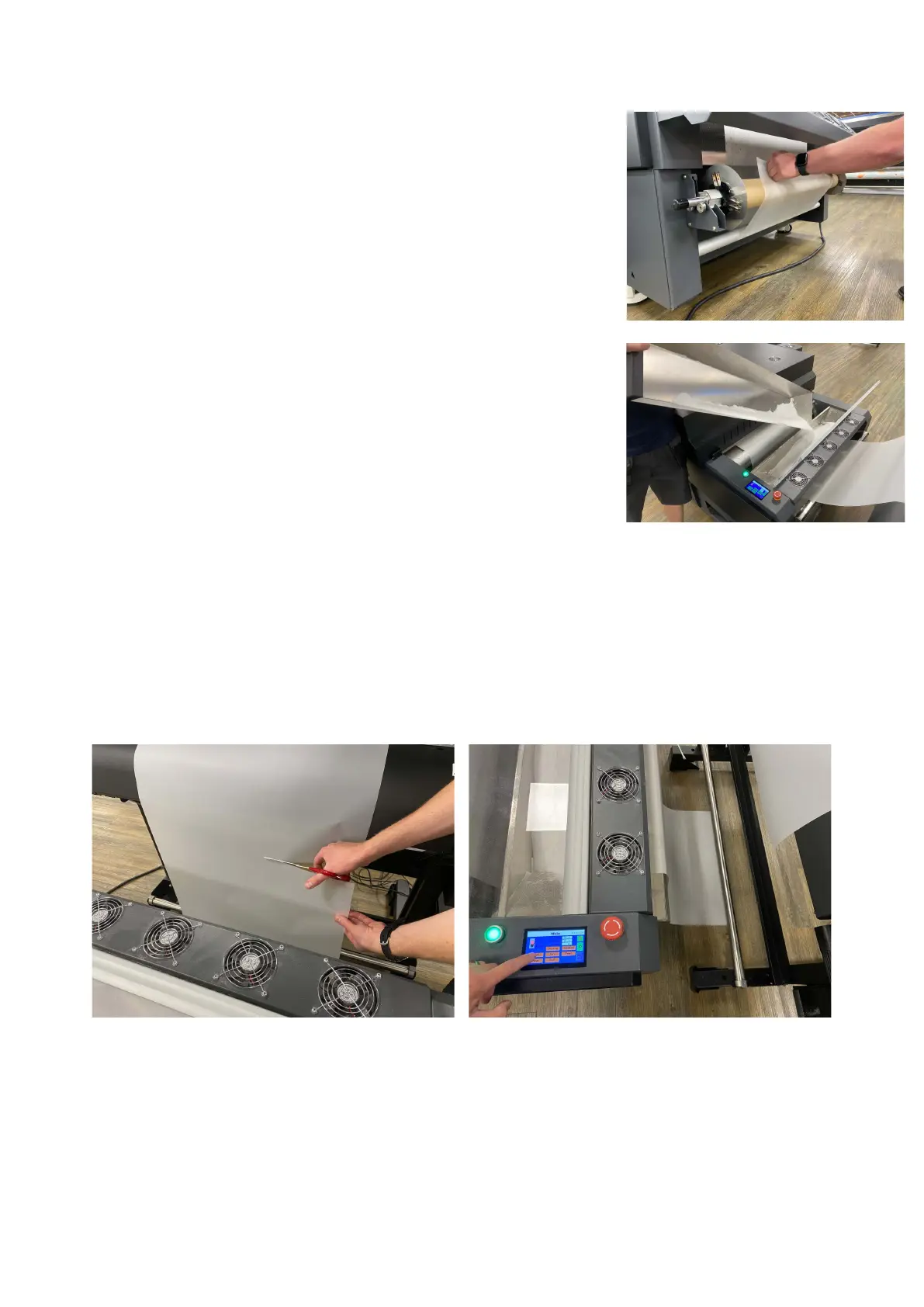
8. When the film exits the dryer, place the film so that it
can go under the film tension bar and then onto the take up unit.
NOTE: This needs to be attached true and square or the film
may skew.
9. During use, periodically check the powder collection trays.
And recycle the powder into the powder trough.
10. When the last job has been printed, cut the film between printer and dryer, and select
“Link” on the control panel, this will disable the front media senor and allow the dryer to
wind up all the film.
NOTE: If the previous film print job is still in the dryer, or a roll of film has ran out, you can
attach the start of the new printed film to the rear of the old printed film by heat proof
tape.



 To Next Page