page 15
10.
OPERATION PROCESS
1. Turn the heat lamps on and allow the system to come up to temperature. Allow 25 - 30
minutes once up to temperature before use - this allows excess moisture within the system
to evaporate and the ambient temperature of the system to stabilise.
2. Ensure there is sufficient powder in the trough. There needs to be enough powder to weight
the film down on to the weight sensor once dusting has started.
3. Add an empty take up roll to the rear take up.
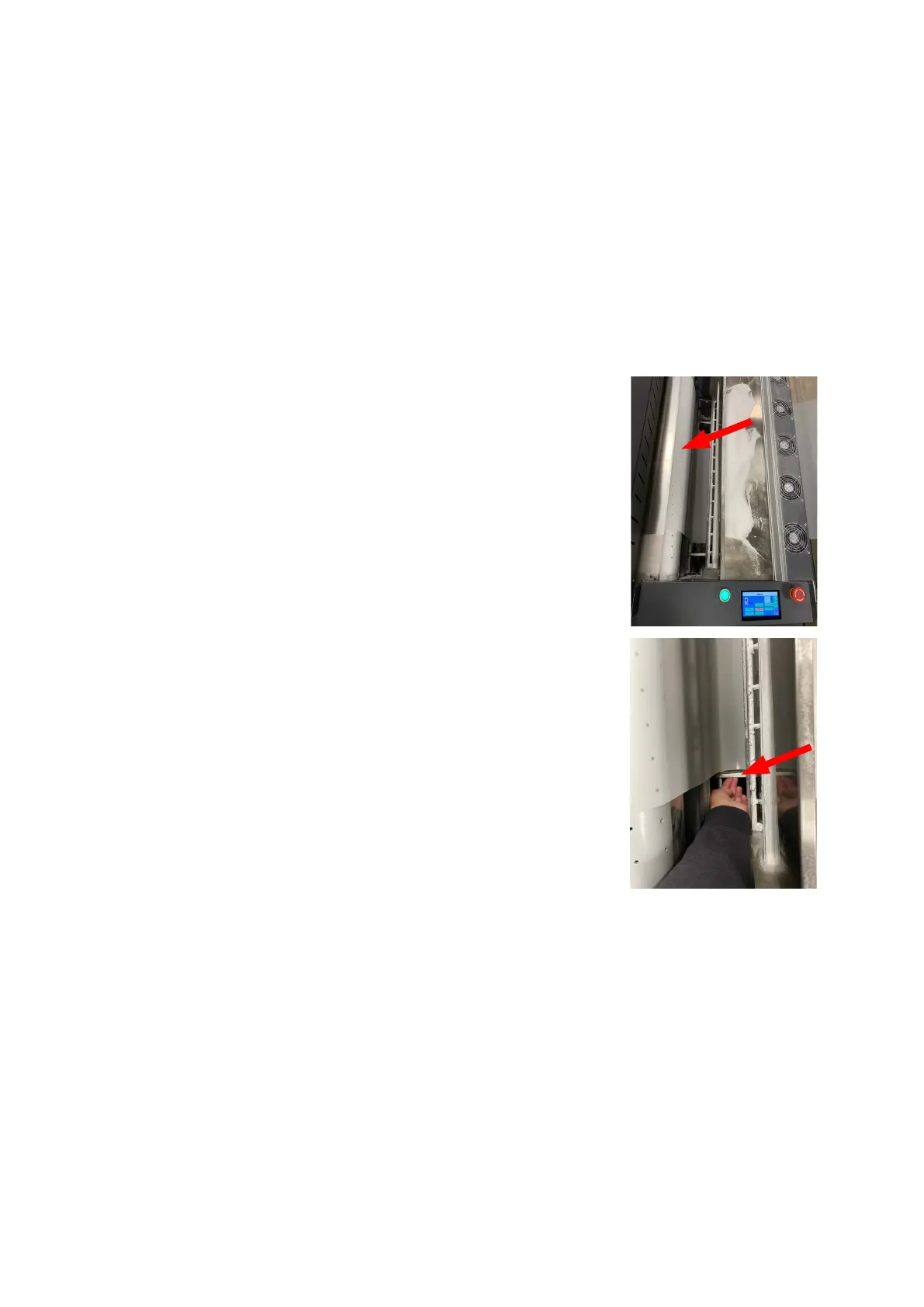
4. Scroll the film out of the printer so there is
enough to feed into the dryer, through the shaker
section and on to the suction roller/conveyor belt.
5. In manual mode, turn on “Fan” and place the start of
the film onto the suction roller and on to the conveyor belt.
The suction roller will hold the media in place.
NOTE: The media at this point needs to be completely true
and square between printer and dryer, otherwise the media
could skew.
6. Move the Powder Holder Plates up to the media to prevent
excess powder falling from the edges of the film during use.
7. Begin to printer and once the film is moving forwards, press “Auto”. The system will enter full
automatic mode.
NOTE: The Adkins Inline 800 will begin to operate when two conditions are met.
a) When the printed film is detected by the film input sensor
b) the powder on the film is heavy enough to activate the weight sensor
The mesh conveyor belt, and suction roller will then start to run automatically and take the film in
to the dryer.
Continued



 To Next Page