7-2. Operation key-in sequence
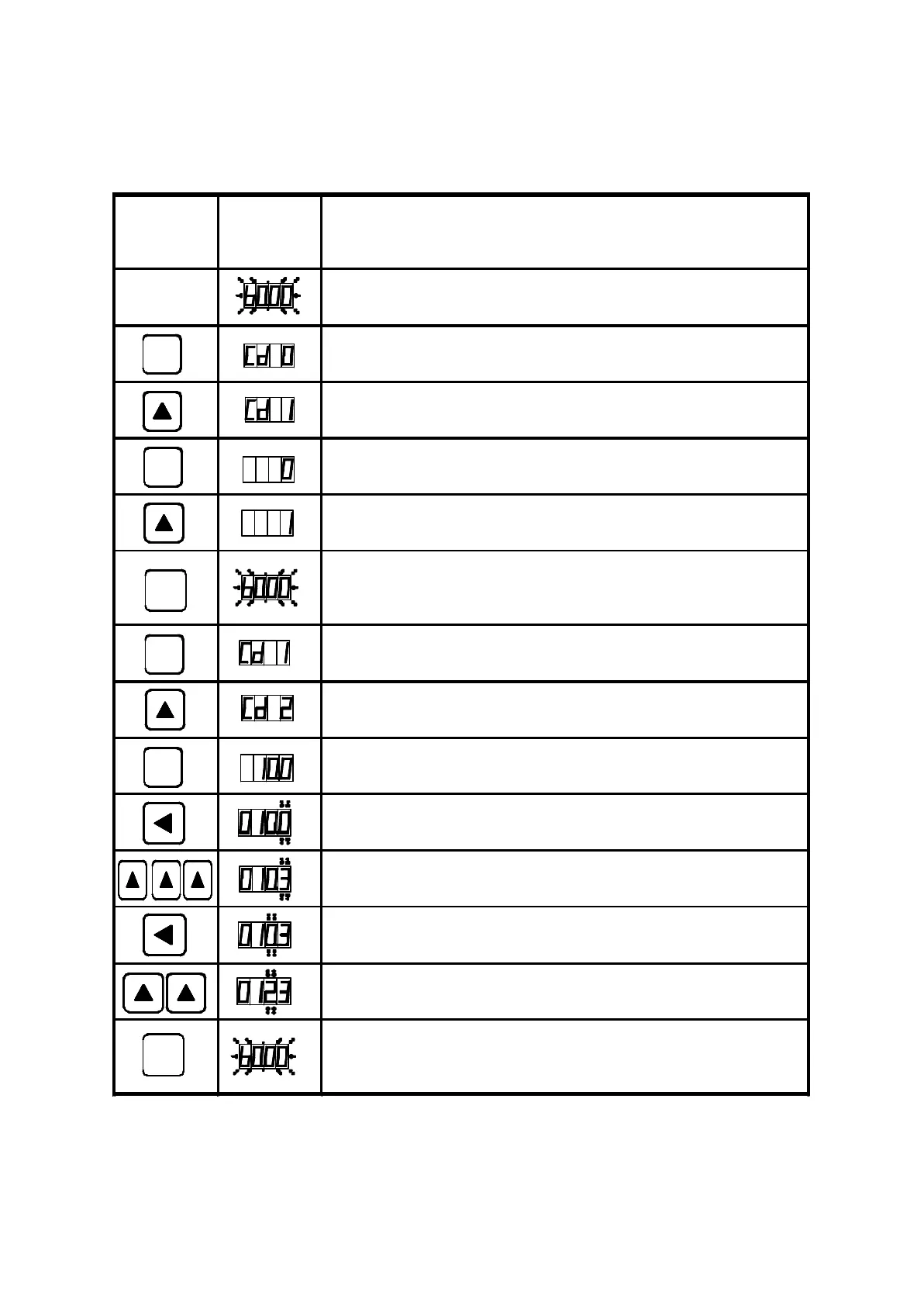
EXAMPLE : CHANGE acceleration time from 10sec to 12.3sec.
FUNC
FUNC
FUNC
FUNC
PROG
PROG
79
Setting
sequence
Display
indicator
Description
In waiting mode, the display is blinking
Enter function mode
Select function number 1 (parameter lock)
Press "FUNC" again to change the parameter value
Enable to change parameter
Press "PROG" to save the parameter and back to
standby mode
Enter function mode
Select function number 2 (acceleration time)
Press "FUNC" again to change the parameter value
Select the first digit
Increase the value to 3
Select the second digit
Increase the value to 2
Press "PROG" to save CD02=12.3 and back to
standby mode.



 To Next Page