125
USING ADOBE AUDITION
Mixing multitrack sessions
Last updated 2/16/2012
Automating track settings in the Editor panel
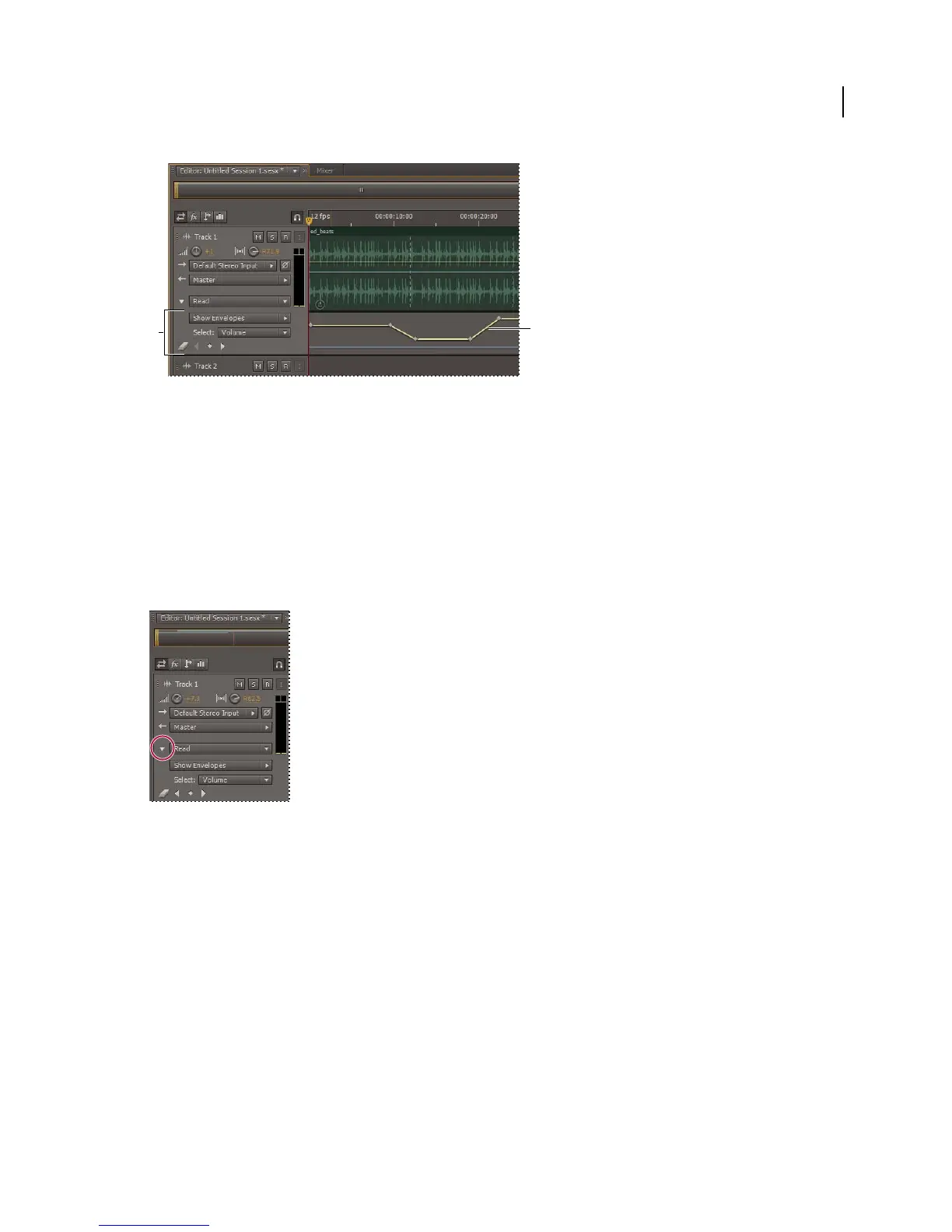
A. Automation lane B. Envelope for parameter
More Help topics
“Apply effects to clips or tracks” on page 63
“Adjust automation with keyframes” on page 126
“Editing multitrack sessions in the Editor panel and Mixer” on page 105
Create track envelopes
Track envelopes let you precisely change track settings at specific points in time.
Showing automation lanes in Editor panel
1 In Editor panel, click the triangle to the left of the Read menu for the track you want to automate.
2 From the Show Envelopes menu, select a parameter to automate.
3 On the envelope line, click and drag to add and adjust keyframes.
Track Automation Mode options
In the Editor panel or Mixer, you can choose one of the following modes for each track:
B
A



 To Next Page