36
USING ADOBE AUDITION
Editing audio files
Last updated 2/16/2012
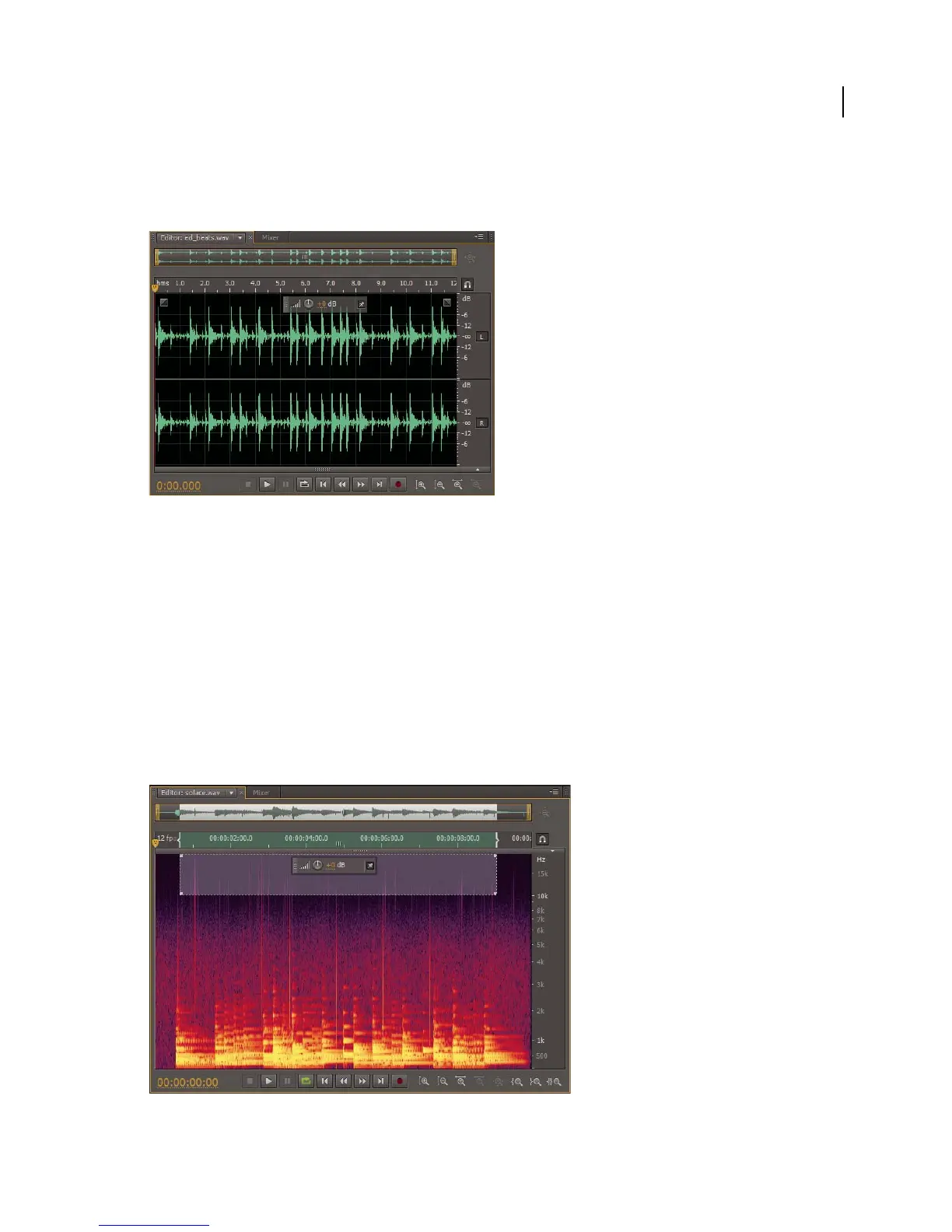
With its clear indication of amplitude changes, the waveform display is perfect for identifying percussive changes in
vocals, drums, and more. To find a particular spoken word, for example, simply look for the peak at the first syllable
and the valley after the last.
Stereo file in waveform display
More Help topics
“Change the vertical scale” on page 38
“Change interface colors, brightness, and performance” on page 17
About the spectral display
The spectral display shows a waveform by its frequency components, where the x-axis (horizontal ruler) measures time
and the y-axis (vertical ruler) measures frequency. This view lets you analyze audio data to see which frequencies are
most prevalent. Brighter colors represent greater amplitude components. Colors range from dark blue (low-amplitude
frequencies) to bright yellow (high-amplitude frequencies).
The spectral display is perfect for removing unwanted sounds, such as coughs and other artifacts.
Spectral display, with high frequencies selected



 To Next Page