16
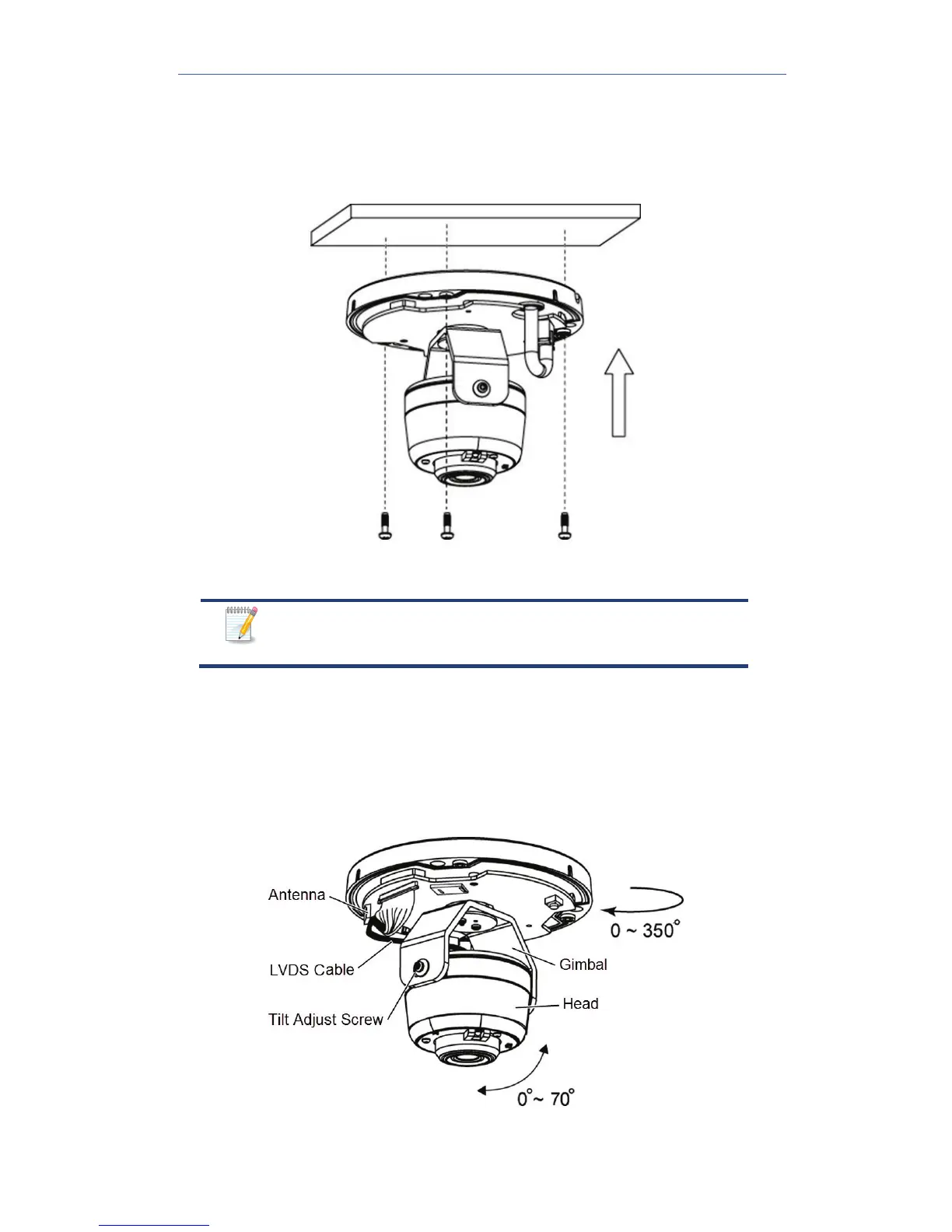
4. If using the anchors, insert them into the mounting holes.
5. Align the three mounting holes of the camera stand with the three
holes, and then mount the camera stand onto the ceiling using the
provided screws.
Figure 6: Installing the Screws
It is recommended that you route the cable through
the side opening of the mounting base.
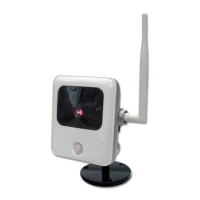
6. Make the camera angle adjustments. The camera offers 3 axis
adjustments:
• Loosen the Tilt Adjust Screw to adjust the tilt angle (0°~70°).
• Adjust the Pan Angle (0°~330°) by turning the black Gimbal.
• Turn the Head to rotate the camera (0°~350°).
Figure 7: Angle Adjustment


 To Next Page