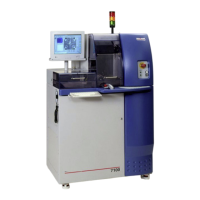
ADT 7100 User Manual Operating Procedure
2.3 QUICK REFERENCE
1. Preparation before dicing
a. Confirm your sample is compatible with the tool capabilities and blade.
b. If your samples will go back to the cleanroom for further processing, or if you want to
minimize contamination, follow the steps in section Sample Preparation.
c. If your sample doesn’t have a section available to do a test cut for measuring the Y-offset
between the blade and the camera, consider doing the Y-offset measurement on a
dummy sample before dicing your actual sample.
2. System setup
a. Verify that the tool is not in use and activate your reservation on the scheduler.
b. Turn on the mounting station heater.
c. Verify the water level is adequate and filters are ok.
Note: if the filter indicators are not in the green zone, you can continue, but let the tool
engineer know about this via the LNF ticket system.
d. Turn the saw on using the startup procedure in this SOP. Let the system initialize.
e. Log in to the system (User: user, Password: user). Then, activate the “initialize system.”
f. If the system has not yet been initialized, select System Init from the User menu.
3. Mounting the sample
a. Use the reference video if needed.
b. Verify the heater of the mounting station is at 60 degrees.
c. Center your sample on the table using the guiding lines and with the alignment marks (if
any) facing down.
d. Put a metal ring in position.
e. Stretch the blue tape over your sample and use the roller to press it down.
f. Close the gate and cut the tape using the two blades.
g. Remove the excess of the tape and flip your sample over to let the tape heat up evenly
for at least a minute. The longer you heat, the better the tape adhesion.
h. Remove the mounted sample from the table and let it cool down on the rack. Then, you
can continue with the following steps while your sample is cooling down.
4. Recipe preparation and recipe loading
a. If you need to set up a new recipe, go to the Recipe screen and copy a recipe from the
STANDARD section. There are standard recipes for common materials. Copying recipes
from other users can propagate errors, be careful.
b. Verify the recipe parameters are correct. Some of the critical parameters include blade
type, wafer size, wafer thickness, etc. Change them if necessary.
c. Once you have a recipe ready, load it into the system.
Auto menu → Define Job → (Select your recipe)
5. Installing the blade into the system following the instructions of the detailed SOP.
Note: Remember, while holding the spindle steady, the nut tightens by rotating it clockwise, and
it gets loosen by rotating it counterclockwise. Use the reference video if needed.
6. Load your wafer
a. In the Video Workspace, click the Load/Unload Wafer button or select
Manual menu → Services → Place Workpiece
b. Open the Load/Unload Cover and place your workpiece, already mounted on a frame,
on the chuck with the wafer on top.
c. Close the Load/Unload Cover and click Finish in the wizard.
d. Verify the vacuum level is adequate.
Lurie Nanofabrication Facility 2-2


 To Next Page
 Loading...