ADT 7100 User Manual Operating Procedure
2.5 DETAILED OPERATION
Enabling the Tool
The first step to using this tool is to receive tool training and approval. Next, schedule tool time
using the LNF scheduler located in the LNF online services. The following link will lead to the LNF online
services:
http://ssel-sched.eecs.umich.edu/sselOnLine/
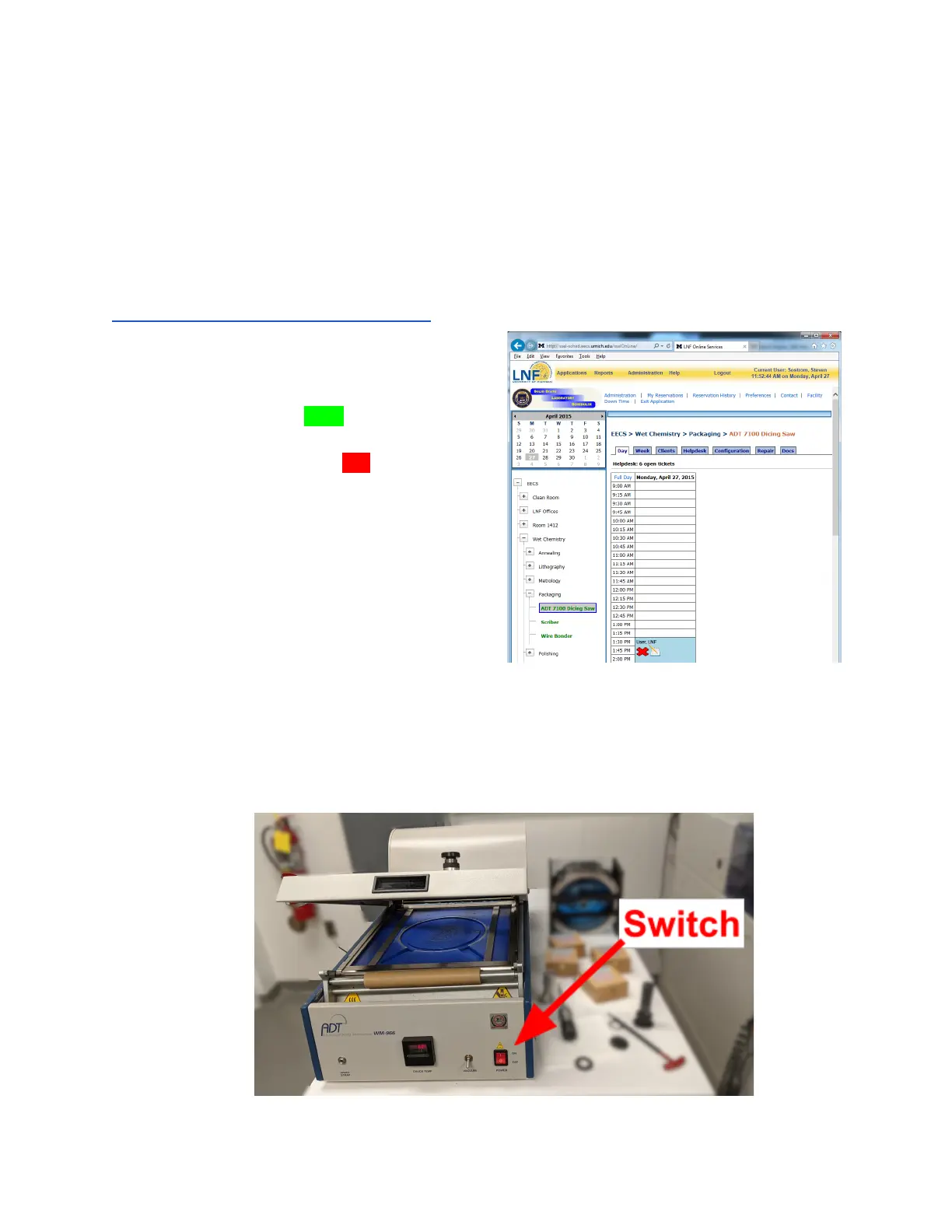
Once logged in, one can schedule tool time through
the scheduler as shown on the right.
The time slot will turn green when the reservation
can be started. To start the reservation, click on the
time slot. The slot will now turn red, indicating the tool
is in use. Be careful not to start your reservation
before the previous user is finished.
When you are finished, the reservation must be ended
if completed before the expiration of the reservation.
Simply click the red time block. If the following user
has already started their reservation, yours will
automatically end.
System setup
1. Verify that the tool is not in use and activate your reservation on the scheduler.
2. Turn the wafer mounting station on using the red switch on the front panel. It is ready
when the temperature reaches 60°C.
Lurie Nanofabrication Facility 2-5


 To Next Page