ADT 7100 User Manual Operating Procedure
3. Ensure that the water level in the filtration system is filled to the bottom side of the lower
white platform with a round hole in it. Do not fill past this point. Also, do not fill it to the
ridge that goes entirely around the tank. Add water if necessary by using the black valve
on the wall to the right of the filtration system.
4. Verify the water filters are still in the green zone. If not, you can still proceed, but create a
tool ticket to let the tool engineer know.
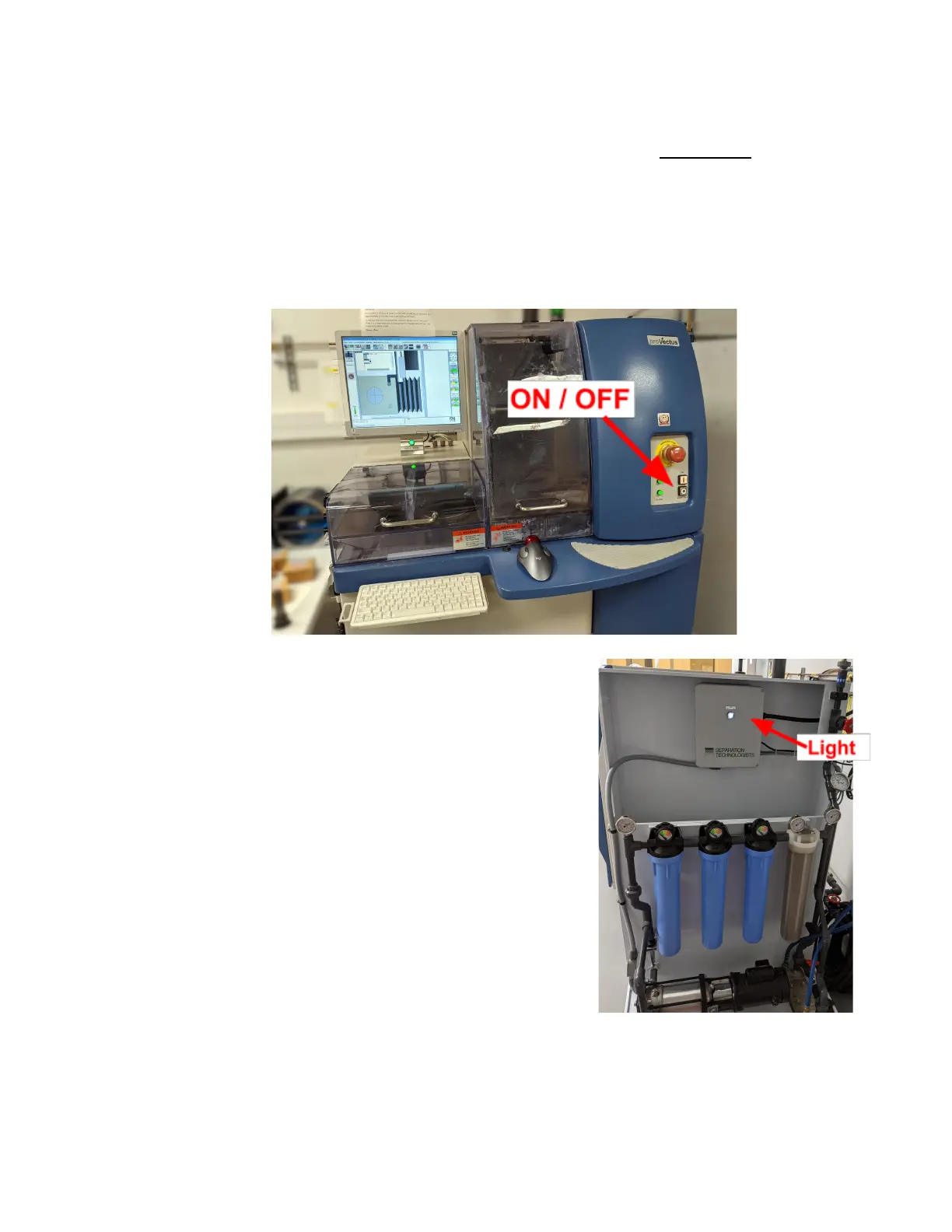
5. Press the ON button on the front panel. Then, wait for the login screen to appear.
6. Ensure that the water filtration system is running. The
light on its panel will be illuminated, and the water
pump becomes louder.
7. When the login screen appears, log in to the system by
selecting the account “user” from the User menu and
enter the password “user” (all lower case). You may
check the Init system checkbox the first time you log
in.
8. If the system has not yet been initialized, select System
Init from the User menu.
Note: If the computer shows a window asking you to
backup the database, please do so. This takes just a few
seconds, and it helps to restore the database if needed.
Lurie Nanofabrication Facility 2-6


 To Next Page