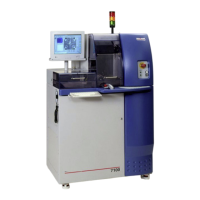
ADT 7100 User Manual Troubleshooting
4.3 COMMON ALARMS
Blade Eccentricity check is now available. If you are unsure how to proceed with any alarms
not listed below, fill out the logbook and create a hardware issue helpdesk ticket.
Here are some common error messages. For more complicated issues, users should contact a
tool engineer via the LNF helpdesk ticket system.
1. The machine doesn’t detect the chuck! or NO_CHUCK_DETECTED.
a. This is due to the loss of vacuum on the mounting chuck. Typically, the blue tape
has been cut, often due to the mounted wafer being loaded with the blue tape on
the top. The wafer must be facing up when the frame is placed on the chuck.
Sometimes a blade that fits loosely on the flange will be mismeasured and cut
through the tape and possibly the chuck.
b. Unload the wafer, remove any debris from the chuck, remount it on the blue tape
and frame, then load it back onto the tool, wafer side up, to finish cutting.
2. The machine doesn’t detect the wafer on the chuck.
a. This typically occurs because the user clicks Finish in the wizard before loading
the sample. If so, the tool will not be able to apply vacuum.
b. Try to load your wafer again, and be sure you flick Finish AFTER loading the
sample.
3. Wafer not aligned message appears when moving the wafer in the Y direction with the
X/Y-Axis Controls.
a. This occurs when trying to move by index and the cut map hasn’t been generated.
b. The cut position is not defined. Therefore, the saw cannot index to the next cut
position until it has been defined. Therefore, you should perform Manual
Alignment to generate the cut map.
4. Blade cooling water flow is out of the limits specified in the process program.
a. The cutting water flow needs to be adjusted, or there is a problem with the cutting
water unit. The flow meters at the right side of the screen should be in the green
area.
5. There is no water in the system or Problem with cutting water.
a. Check that the cutting water system is filled correctly and is running.
6. Blade wear is higher than Process Program limits.
a. The blade wear between Non-Contact Height checks is greater than what is
allowed in the recipe. Therefore, you may need to check the blade more often, use
several passes per cut or a different blade. If the wear rate is extremely high, the
blade may be broken and must be replaced.
b. This is a warning that needs to be evaluated by the user. By clicking Retry, the
tool will measure the exposure one more time. If it fails the second check, but you
Lurie Nanofabrication Facility 4-2


 To Next Page
 Loading...