20 Gear Drive, Plymouth Ind. Park, Terryville, CT 06786
Tel: (860) 585-1254 Fax: (860) 584-1973 http://www.amci.com
SMD23E2 and SMD24E2 User’s Manual
SET THE IP ADDRESS AND PROTOCOL
99
2.2c Use the AMCI Net Configurator Utility (continued)
2.2c.2 Install the AMCI Net Configurator Utility
Once downloaded, simply extract the program from the ZIP file and run the program to install the AMCI Net
Configurator utility on your computer. The software installs as most products do, giving you the option to
change the file locations before installing the utility. Once the install is complete, a link to the utility is avail
-
able on the Start Menu.
The install process only copies the utility to the designated location and creates links to the Start Menu. No
changes are made to your registry settings.
2.2c.3 Verify that Your Host Controller is Disconnected from the SMD23E2 or SMD24E2
EtherNet/IP is not a multi-master protocol. There can be only one bus master on the network at a time. In
order to program the SMD23E2 or SMD24E2, the AMCI Net Configurator utility must act as a bus master.
Therefore, physically disconnect your host controller from the SMD23E2 or SMD24E2 before starting the
Net Configurator utility.
2.2c.4 Apply or Cycle Power to the SMD23E2 or SMD24E2
Cycling power to the SMD23E2 or SMD24E2 will reset any connections it may have with the host controller.
2.2c.5 Start the AMCI Net Configurator Utility
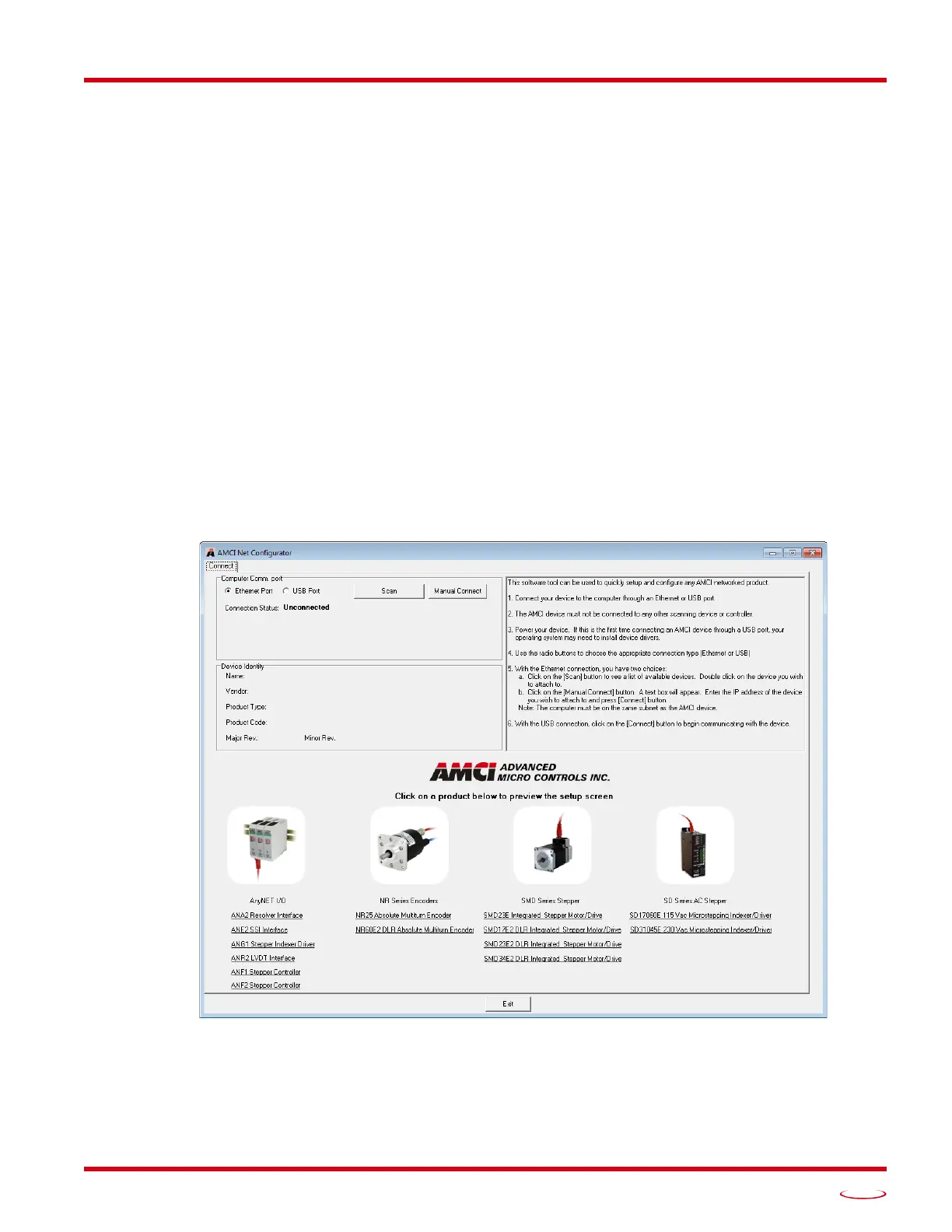
Double click on the utility’s icon. A welcome screen similar to the one in figure T2.3 below will appear.
Figure T2.3 Net Configurator Welcome Screen


 To Next Page