WP-T800 1 Station Thermal Line Printer
- 10 -
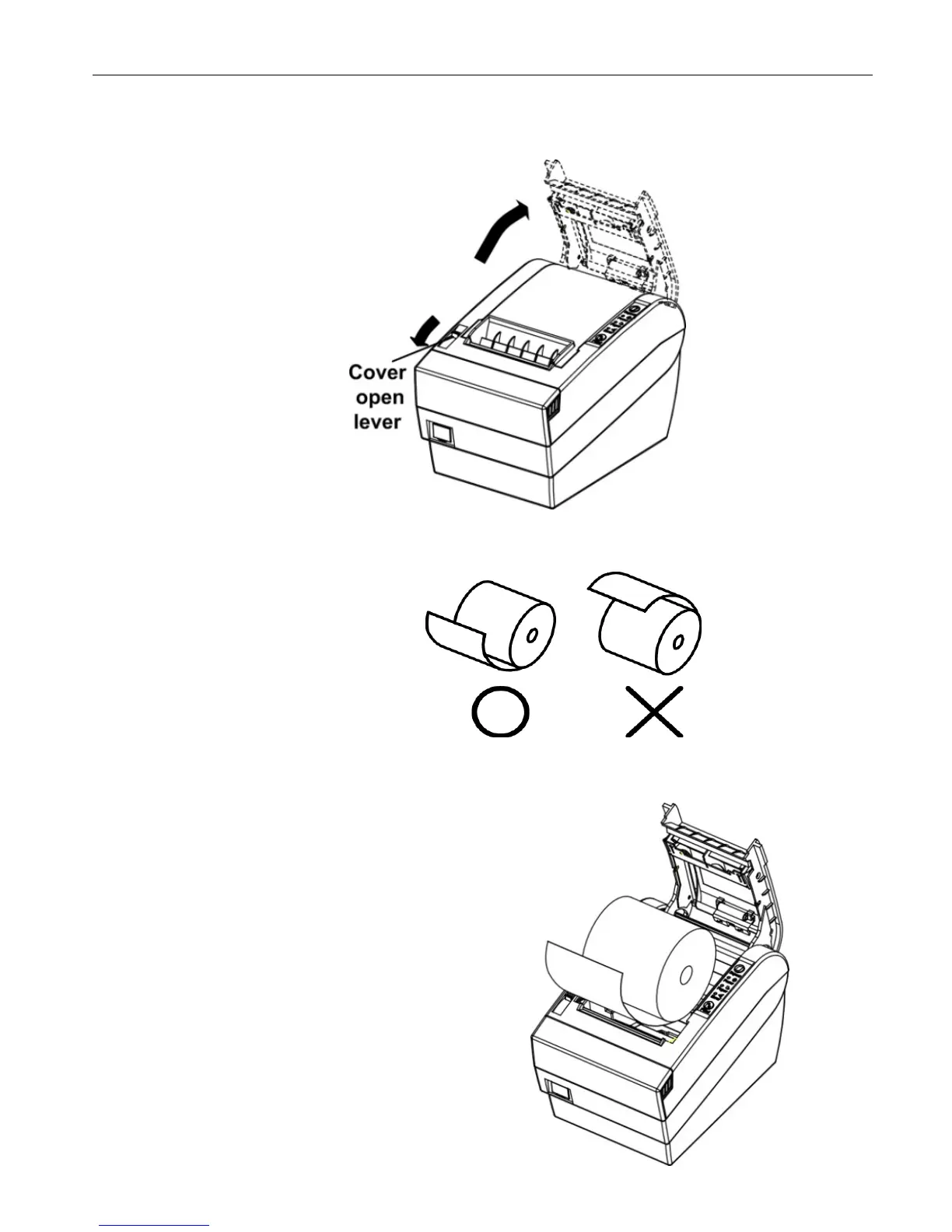
4.3 Setting of the Printer Cover and Setting Paper
(1) Push the cover open lever, and open the printer cover.
(2) Remove any used paper roll’s core, and insert the paper roll as picture
bellows shown.
(3) Put the paper roll into paper trough and pull out the leading edge of the
paper as picture below shown.


 To Next Page