MIC-770 V2 User Manual 12
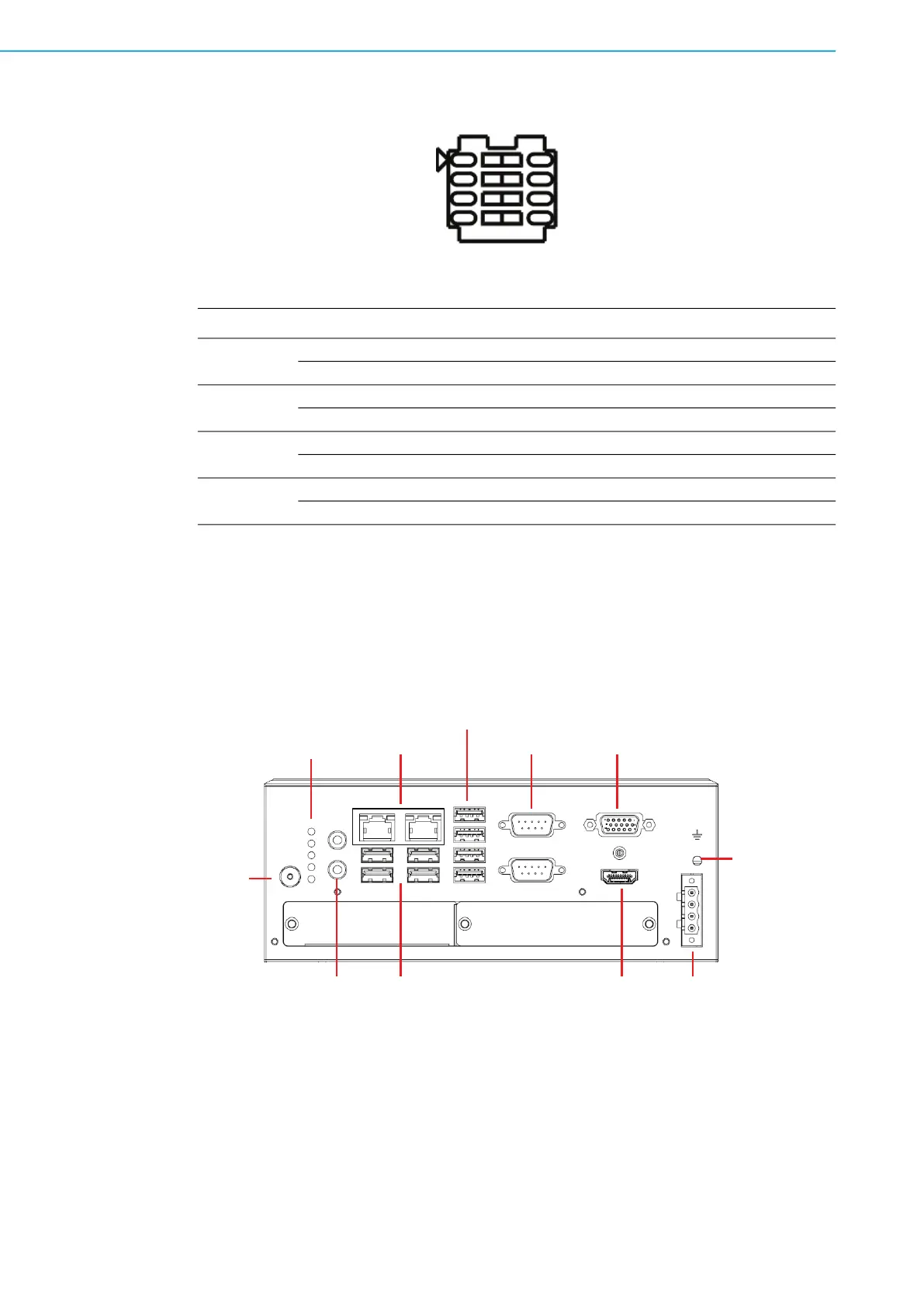
2.2.2.5 USB Standby Power & VGA Always on Setting (eFuse)
eFuse (SW5)
2.3 Connectors
2.3.1 MIC-770 V2 External I/O Connectors
Figure 2.1 MIC-770 V2 Front View
Switch State Setting
SW5-1
1 (default) USB3C1 not provide standby charging
O USB3C1 provide standby charging
SW5-2
2 (default) USB3C2 not provide standby charging
N USB3C2 provide standby charging
SW5-3
3 (default) USB3C3 not provide standby charging
B USB3C3 provide standby charging
SW5-4
4 (default) VGA is always on
M VGA will be ON by cable detected
Power
Line out
MIC in
LAN2/
LAN1
Chassis GND
VGA
9
-
36 V
DC
COM1/2
USB3.2
HDMI
TX for COM1
RX for COM1
TX for COM2
RX for COM2
Storage (SATA)
USB3.2/2.0


 To Next Page