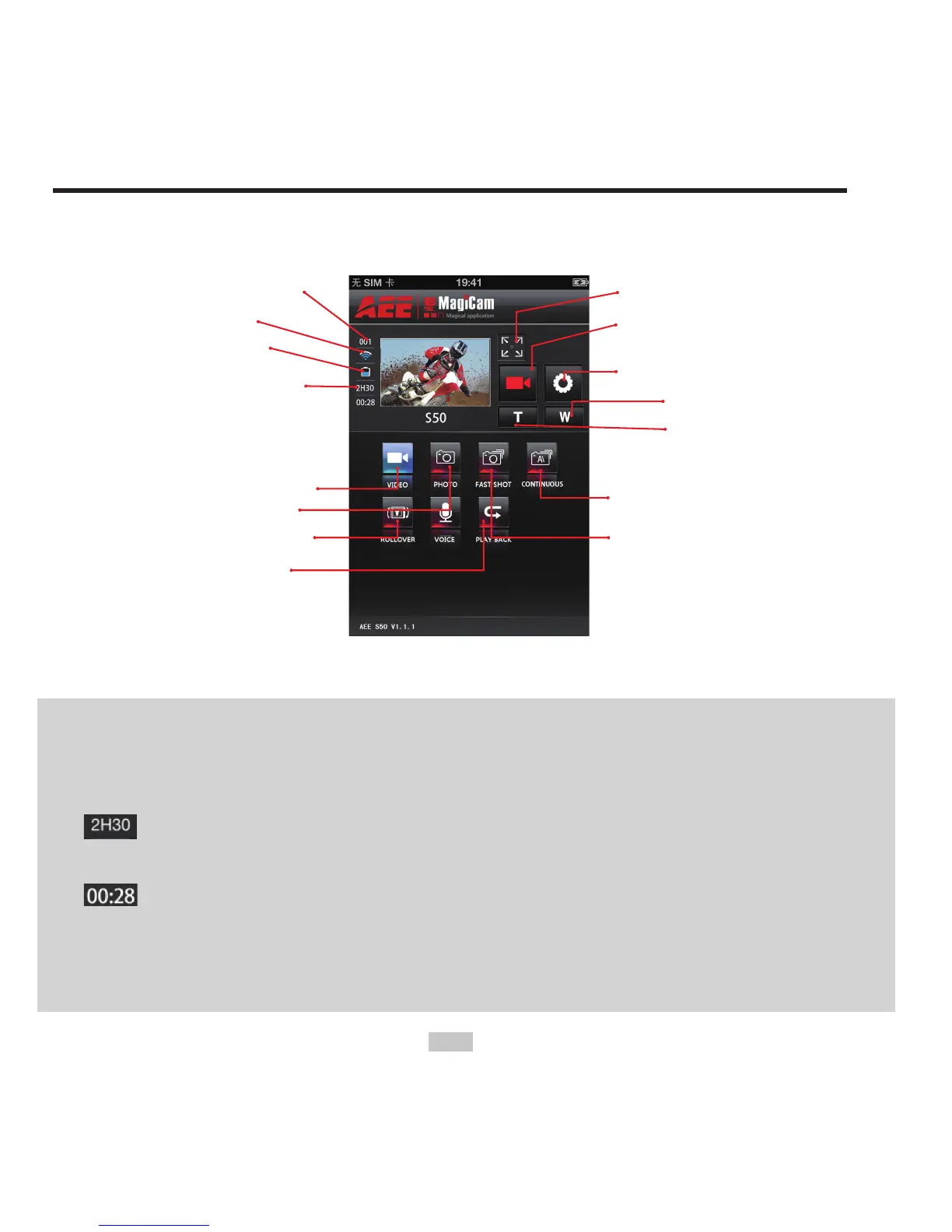
Current state icon /
Start/Stop button
Parameter settings
Zoom out
Zoom in
Auto continuous
capture mode
Fast shot mode
Video recording mode
Single shot mode
180°Display turnover
Playback mode
Fig. 2 WiFi Control Interface
Note:
1. You can remotely control your camera by clicking the icons at the
main interface.
: display the remaining recording time in video recording mode;
display the remaining number of shots in photo shooting mode.
: display the number of recorded videos in video recording mode;
display the number of shot photos in photo shooting mode.
2. The mobile device must be used within a distance of max. 100 meters
from the S50 in an obstacle-free and horizontal angle.



 To Next Page