Wi-Fi connection is turned on.
5. BEFORE FIRST USE
WARNING!
Refer to Safety chapters.
5.1 Initial Cleaning
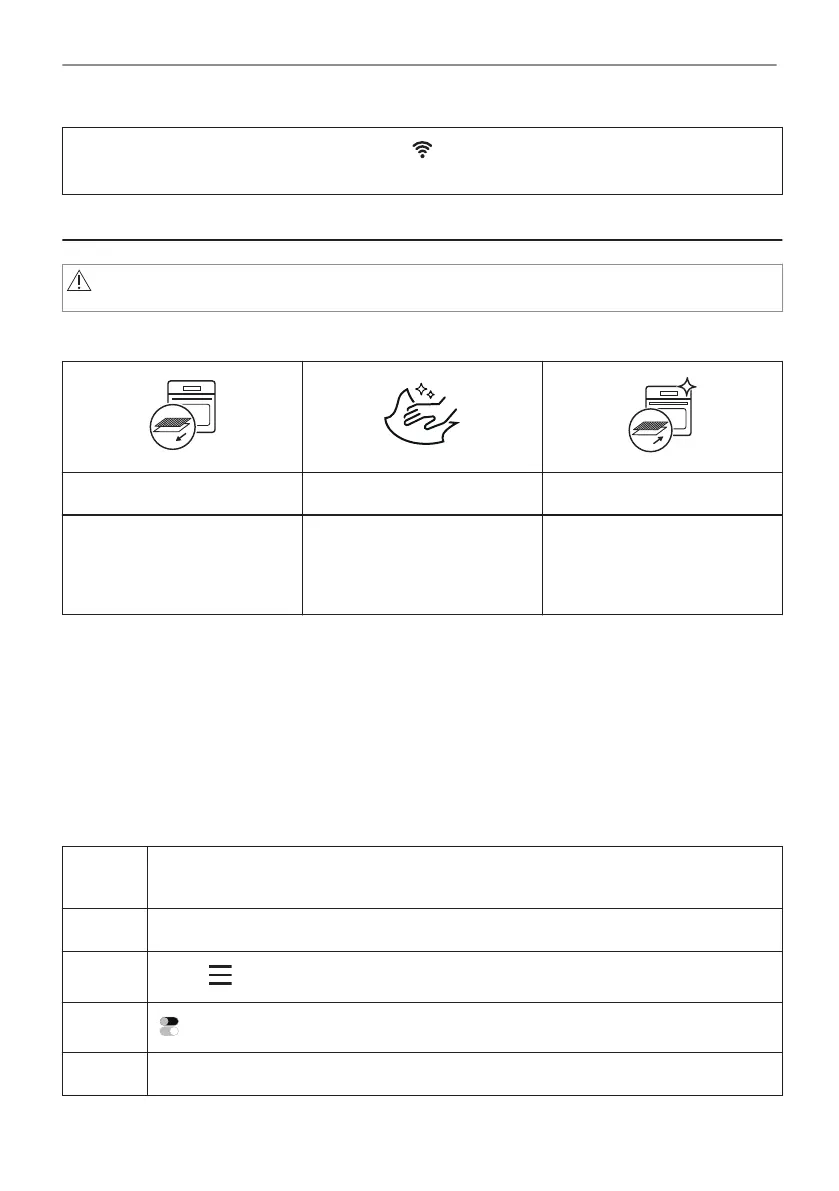
Step 1 Step 2 Step 3
Remove all accessories and
removable shelf supports from
the oven.
Clean the oven and the ac‐
cessories with a soft cloth,
warm water and a mild deter‐
gent.
Place the accessories and the
removable shelf supports in
the oven.
5.2 First connection
The display shows welcome message after the first connection.
You have to set: Language, Display brightness, Key tones, Buzzer volume, Water hardness,
Time of day.
5.3 Wireless connection
To connect the oven you need:
• Wireless network with the Internet connection.
• Mobile device connected to your wireless network.
Step 1 Download the mobile app My AEG Kitchen and follow the instructions for the next
steps.
Step 2 Turn on the oven.
Step 3
Press: . Select: Settings / Connections.
Step 4
- slide or press to turn on: Wi-Fi.
Step 5 The oven wireless module starts within 90 sec.
60/240
BEFORE FIRST USE



 To Next Page