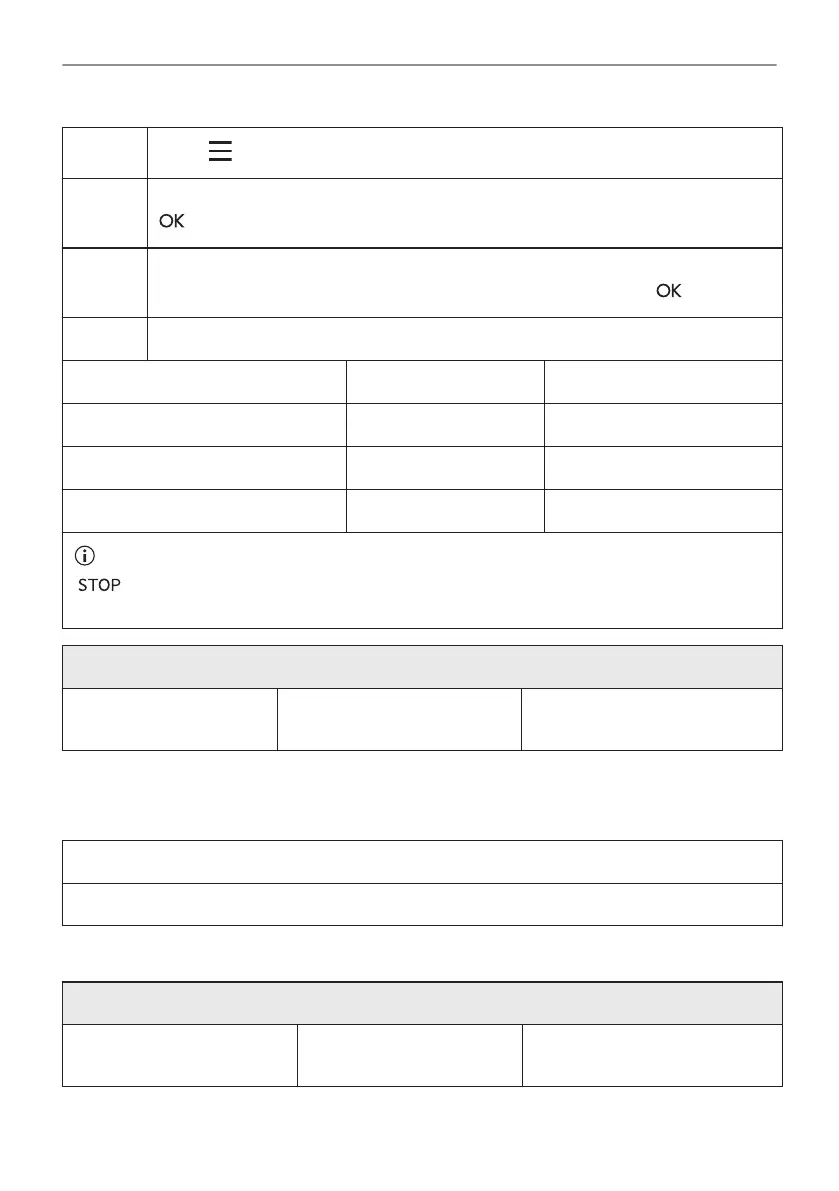
Step 2
Press: / Cleaning.
Step 3 Put the baking tray on the first shelf position to collect water from the water tank.
- press to start water tank emptying.
Step 4 When the tank emptying ends remove the baking tray and removable shelf supports.
Wipe the oven cavity and the inner door glass with a soft cloth. Press: .
Step 5 Select the cleaning mode.
Option Cleaning mode Duration
Pyrolytic cleaning, quick Light cleaning 1 h
Pyrolytic cleaning, normal Normal cleaning 1 h 30 min
Pyrolytic cleaning, intense Thorough cleaning 3 h
When the cleaning starts, the lamp is off and the cooling fan works at a higher speed.
- press to stop the cleaning before it is completed.
Do not use the oven until the door lock symbol disappears from the display.
When the cleaning ends:
Turn off the oven and wait
until it is cold.
Clean the cavity with a soft
cloth.
Remove the residue from the
bottom of the cavity.
11.4 Cleaning Reminder
When the reminder appears, cleaning is recommended.
Use the function: Pyrolytic Cleaning.
11.5 How to use: Descaling
Before you start:
Turn off the oven and wait
until it is cold.
Remove all accessories. Make sure that the water drawer
is empty.
81/240
CARE AND CLEANING



 To Next Page