26
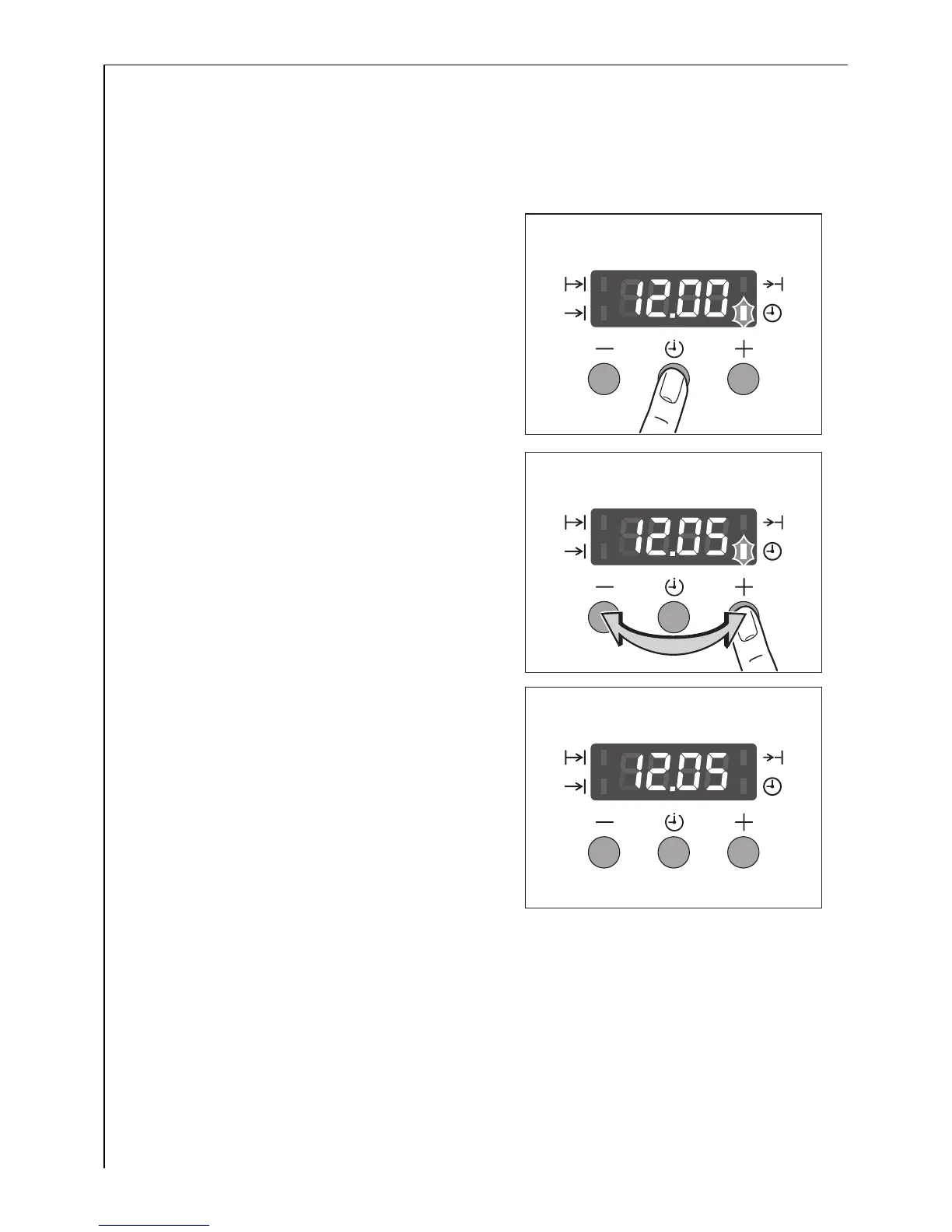
Changing Time W
3 The time can only be changed if neither of the automatic functions
(cook time d or end time e) has been set.
1. Press selection button T repeated-
ly until the time W function indica-
tor flashes.
2. Using buttons + or - set the cur-
rent time.
After approx. 5 seconds the func-
tion indicator will stop flashing and
the clock will show the set time.
The appliance is ready for use.










 To Next Page