Operating Instructions
11
Before Using for the First Time
Setting the clock
3
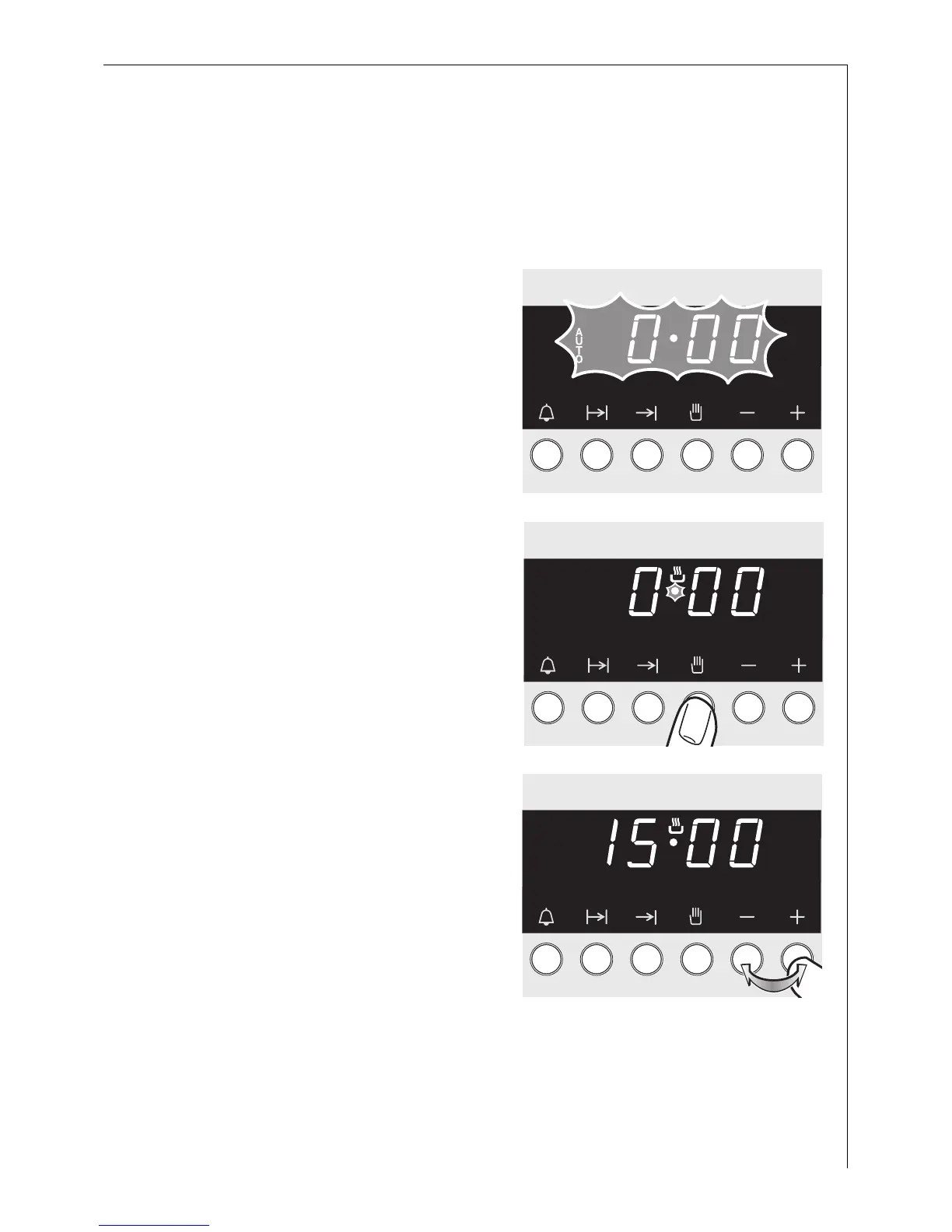
The oven only operates when the clock has been set.
The clock display flashes when the
appliance is first connected, or after
a power failure.
4. Press the M button briefly.
5. Start setting the current time
within 5 seconds, using the + or
- buttons.
The appliance is now ready to use.






 To Next Page