Need help?
Do you have a question about the AEG Voxtel Smart 3 and is the answer not in the manual?
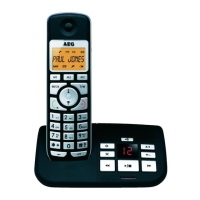
Details components and functions of the base station, including LEDs and ports.
Describes the buttons, microphone, earpiece, camera, ports, and speaker on the handset.
Explains various icons displayed on the status bar, indicating battery, connection, and notifications.
Explains touch actions and how to use the onscreen keyboard for text input.
Guides on attaching stand, installing battery, and removing back cover.
Instructions for connecting power, telephone line, and installing memory card.
How to switch the device on/off and manage the home screen.
Steps to connect the phone to a Wi-Fi network during initial setup.
Allows viewing handset settings and registering to the base station.
How to access and listen to voicemail messages from the handset.
Instructions for making intercom calls and external phone calls.
Steps to open and switch the digital answering machine on or off.
How to set rings, PIN, playback, delete messages, and record memos.
Instructions for accessing and managing messages remotely.
Guide on how to add new contacts and modify existing entries.
Guide to connecting the device to a Wi-Fi network.
How to launch the email app and configure the first email account.
Instructions for writing, sending, and reading emails.
How to launch TuneIn Radio and listen to broadcasts.
How to open the stock app and add/delete stocks from a portfolio.
How to switch between photo/video modes and take pictures.
How to launch the clock app and set new alarms.
Steps to create new events and manage reminders.
How to use the calculator for simple and advanced calculations.
Troubleshooting steps for power on and memory card detection issues.
Steps to resolve frozen displays and base station registration problems.
Information about product guarantee, service, and technical specifications.
 General
| Answering machine | Yes |
|---|---|
| GAP compatible | Yes |
| Number of Handsets | 1 |
| Talk time | 10 hours |
| Standby time | 100 hours |
| Caller ID | Yes |
| Call Waiting | Yes |
| Type | Cordless Telephone |
| Range | 300 meters |
| Battery Type | NiMH |


 To Next Page