OVERVIEW OF SMART 3
4
4 OVERVIEW OF SMART 3
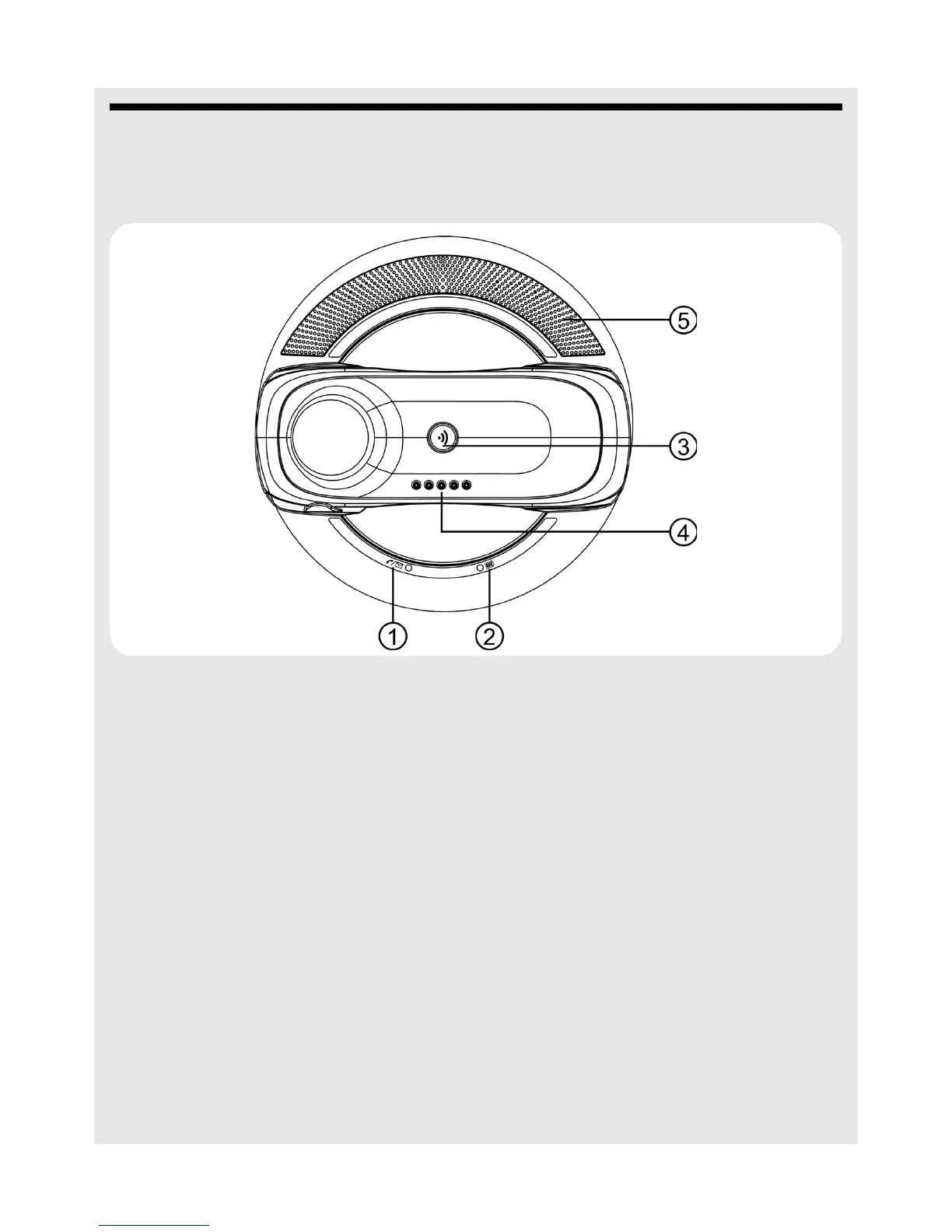
4.1 Base station
1 Charge LED - RED Turns on when the handset is put into the base cradle
for charging.
2 In Use / Message LED -
BLUE
Turns on when the handset is in use or blinks when a
new message is received.
3
N Page Press to find / page all registered handsets. Press the
button again, or any key on the handset to turn off the
page signal.
4 Charge and Audio Input
Contact
For charging the handset battery and receiving audio to
play through the loudspeakers.
5 Loudspeakers



 To Next Page